
Mar 31, 2026
Payroll Cutoffs and Pay Schedules in the Philippines
How to configure payroll cutoffs and pay schedules for Philippine businesses. Semi-monthly setups, payday timing, and government deduction placement.
It's the 5th of the month. Your staff are expecting their pay today, but you're still sorting out attendance from the last two weeks. The cutoff ended on the 30th, and somehow five days wasn't enough buffer. You're rushing through numbers, second-guessing deductions, wondering if there's a better way to structure this.
There is. Most cutoff headaches come from the initial setup, not from payroll itself. Get the schedule right once and every period after that runs smoother.
Why cutoff structure matters
Cutoffs aren't just calendar dates. They determine how daily pay is computed, when overtime and holiday premiums land, and which payroll period absorbs government deductions. A misaligned cutoff means computation errors that compound every period.
For a business with 10 to 30 staff, even a small error per person per cutoff adds up to real money by year-end. The structure you choose on day one follows you through every payroll run.
The standard semi-monthly setup
Almost every Philippine business pays semi-monthly, meaning two payroll periods per month. The Labor Code requires wages be paid at least twice a month, with intervals not exceeding sixteen days.
First and sixteenth
The most common structure splits the month at the midpoint. First cutoff covers the 1st through the 15th. Second cutoff covers the 16th through the end of the month (28th, 29th, 30th, or 31st depending on the month).
This is the simplest to understand and the easiest to explain to your staff. Pick this unless you have a specific reason not to.
Shifted cutoffs
Some businesses shift the periods, running the 16th to end-of-month as the first cutoff and the 1st to 15th as the second. This can align with other monthly cycles but adds confusion. Most owners who try this switch back within a year.
Setting your payday
Payday is not the cutoff end date. You need a processing gap between when the cutoff closes and when pay is released. This is the time you use to review attendance, verify computations, and catch errors before money goes out.
| Cutoff period | Common payday |
|---|---|
| 1st - 15th | 20th or 25th |
| 16th - end of month | 5th or 10th of next month |
A 5-day gap works if your attendance tracking is already connected to payroll. A 10-day gap gives you room for manual review and corrections. Either way, make sure your staff know exactly when to expect their pay.
Handling mid-cutoff hires
When a new team member starts on the 10th and your cutoff runs from the 1st to 15th, they get paid for the days they actually worked. Divide the monthly salary by the applicable divisor (commonly 313 or 261 days depending on whether rest days are included), then multiply by days worked.
This is cleaner than pro-rating and stays consistent with how you'd handle absences in any other period.
For government contributions, the person is typically covered for the full month even if they started mid-period. Deduct the full monthly SSS, PhilHealth, and Pag-IBIG from their remaining cutoffs. Coordinate carefully so you don't double-deduct or skip a month.
Where government deductions go
Every month, SSS, PhilHealth, and Pag-IBIG contributions need to come out of each team member's pay. The question is which cutoff.
First cutoff only
All government deductions come out of the first payroll run. Simple to manage. The trade-off is that your staff's first-half net pay is noticeably lower.
Second cutoff only
Same idea, reversed. Deductions hit the second payroll run. Some owners prefer this because it keeps the "beginning of month" paycheck higher.
Split across both
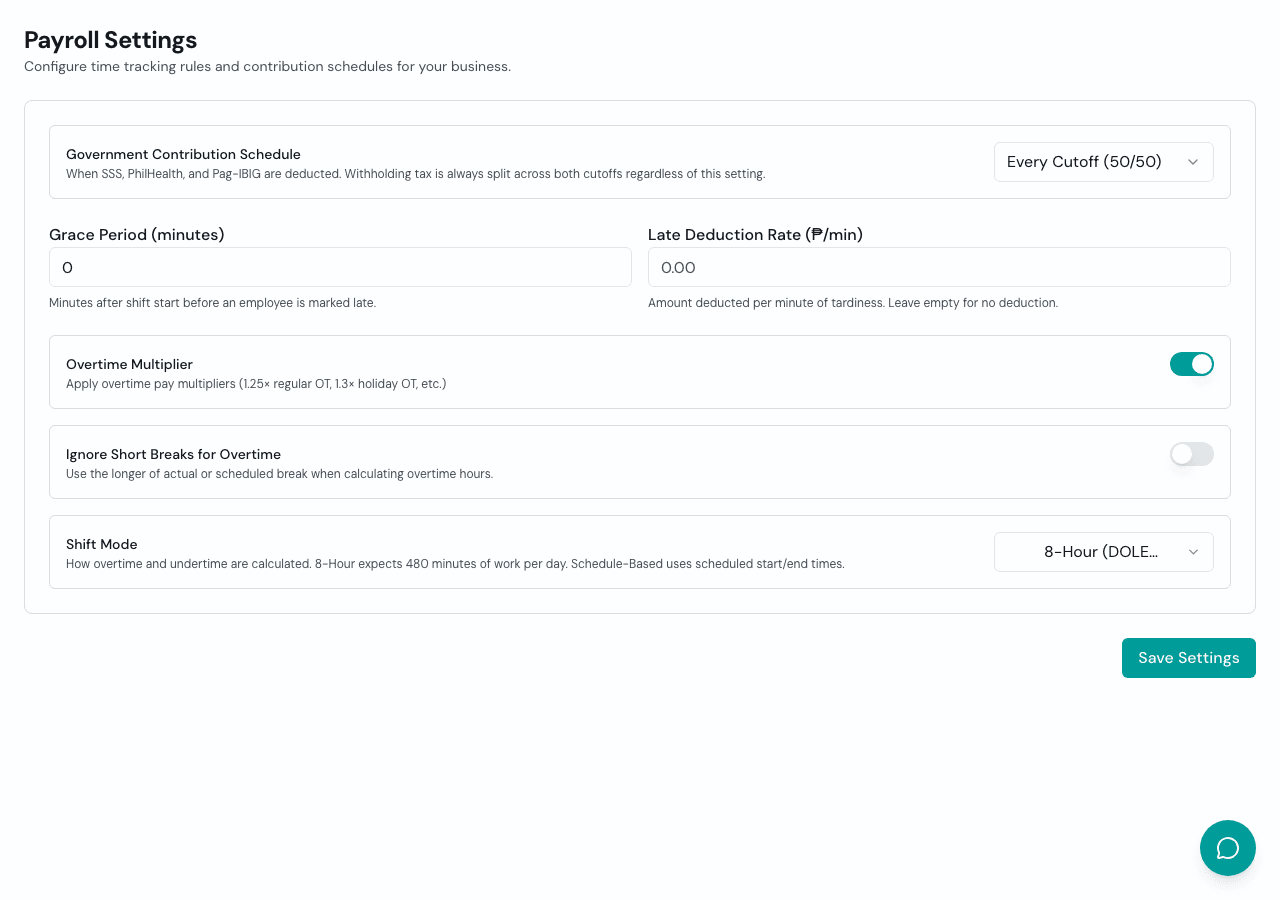
Half the deductions from each cutoff. This smooths out net pay and feels fairer to your staff. It adds a small amount of complexity to your computation, but most payroll systems handle this automatically.
There's no legal requirement dictating which approach to use. What matters is consistency. Pick one and document it so your team knows what to expect every period.
BIR withholding tax works differently. Since the correct tax depends on total monthly compensation, some businesses compute a preliminary amount on the first cutoff and adjust on the second. Others apply the full computation only on the second cutoff.
How Timekeep handles payroll periods
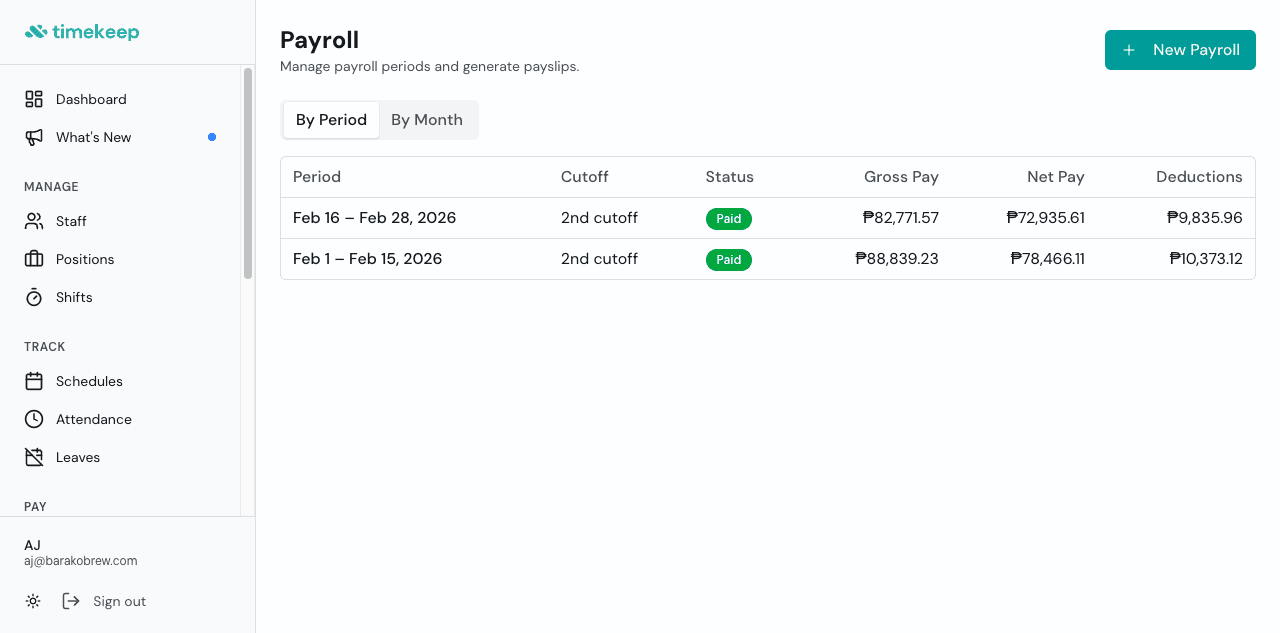
Timekeep doesn't lock you into a fixed cutoff schedule. When you create a payroll, you pick the cutoff label (1st or 2nd) and set any start and end date you want. Timekeep pulls in all attendance records within that date range, computes pay, deductions, and contributions, and generates payslips. If you need to adjust a period or run payroll for a custom range, you just change the dates.
Set it once, run it every period
The best payroll schedule is the one you configure once and never think about again. Define your cutoffs, set your paydays with enough processing room, decide where deductions land, and let the system handle the repetition. Your Tuesday nights back.
Try it free for 30 days at timekeep.ph. No credit card required.