
Changelog
What's new in Timekeep. Latest features, improvements, and fixes.
May 1, 2026
Leave Requests That Say What Kind of Leave
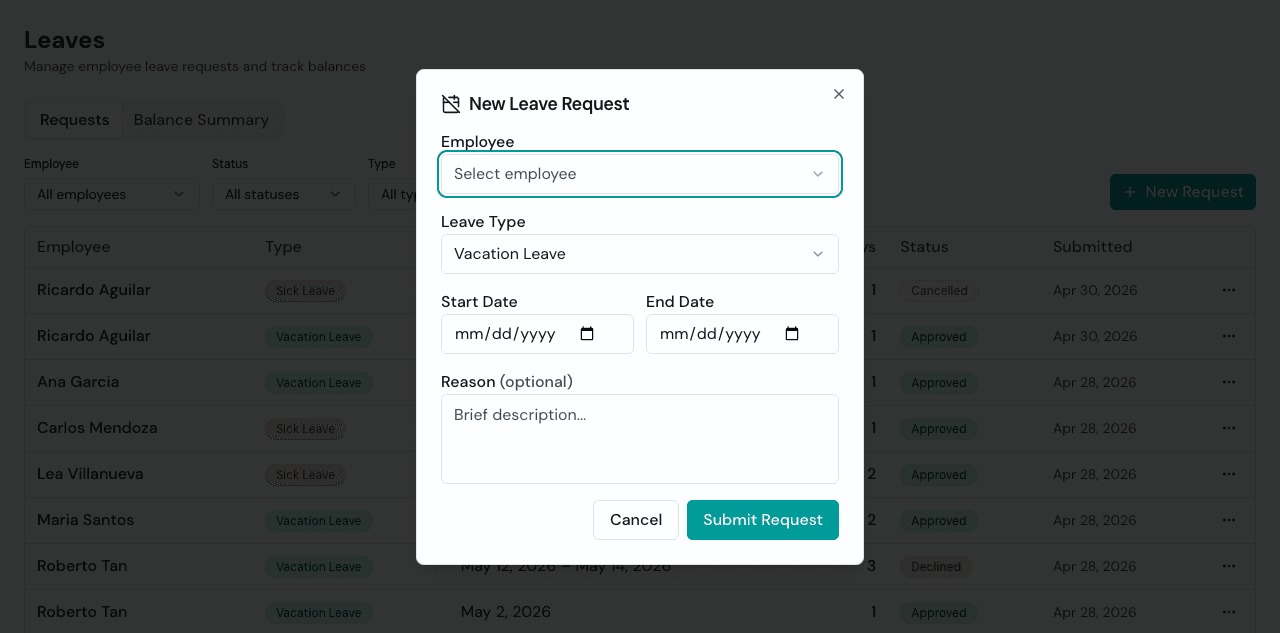
A leave request should not leave the owner guessing. Your team can now file Vacation Leave or Sick Leave from the portal, and admins can choose the same types when creating leave on behalf of an employee. The leave list shows the type as a badge, the review dialog keeps it visible before approval, and a new filter lets you separate vacation from sick leave when cutoff review gets busy. The annual leave balance still works as one shared pool, so the workflow stays simple while the records get clearer.
Probationary and Regular Status on Staff Profiles
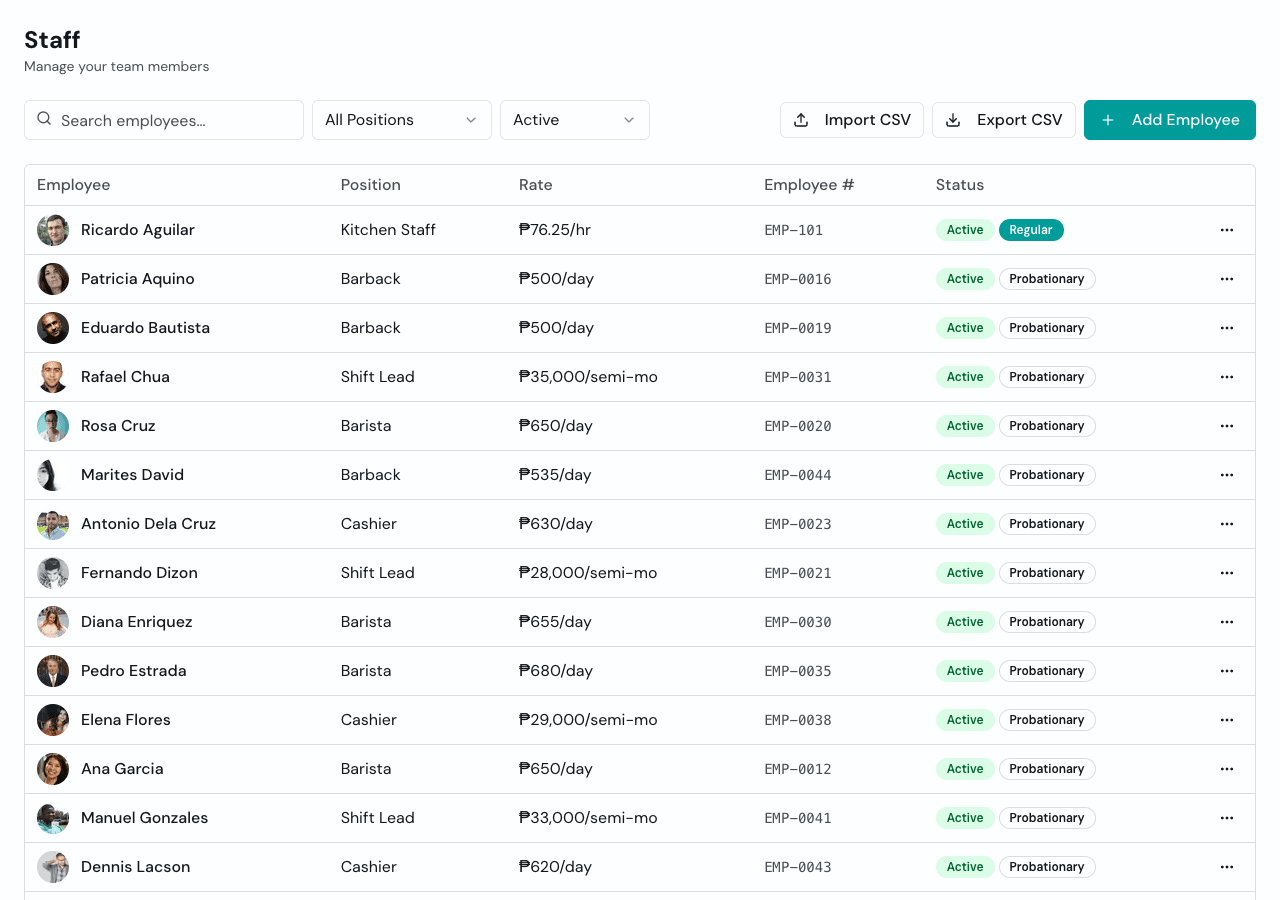
Every staff list tells a story. Now it can tell you who is still probationary and who is already regular without opening a spreadsheet on the side. Employees default to probationary, you can update the status from the employee profile, and the staff list shows the status badge where owners and managers naturally look first.
Apr 29, 2026
Early Clock-Ins Stay With the Shift They Belong To
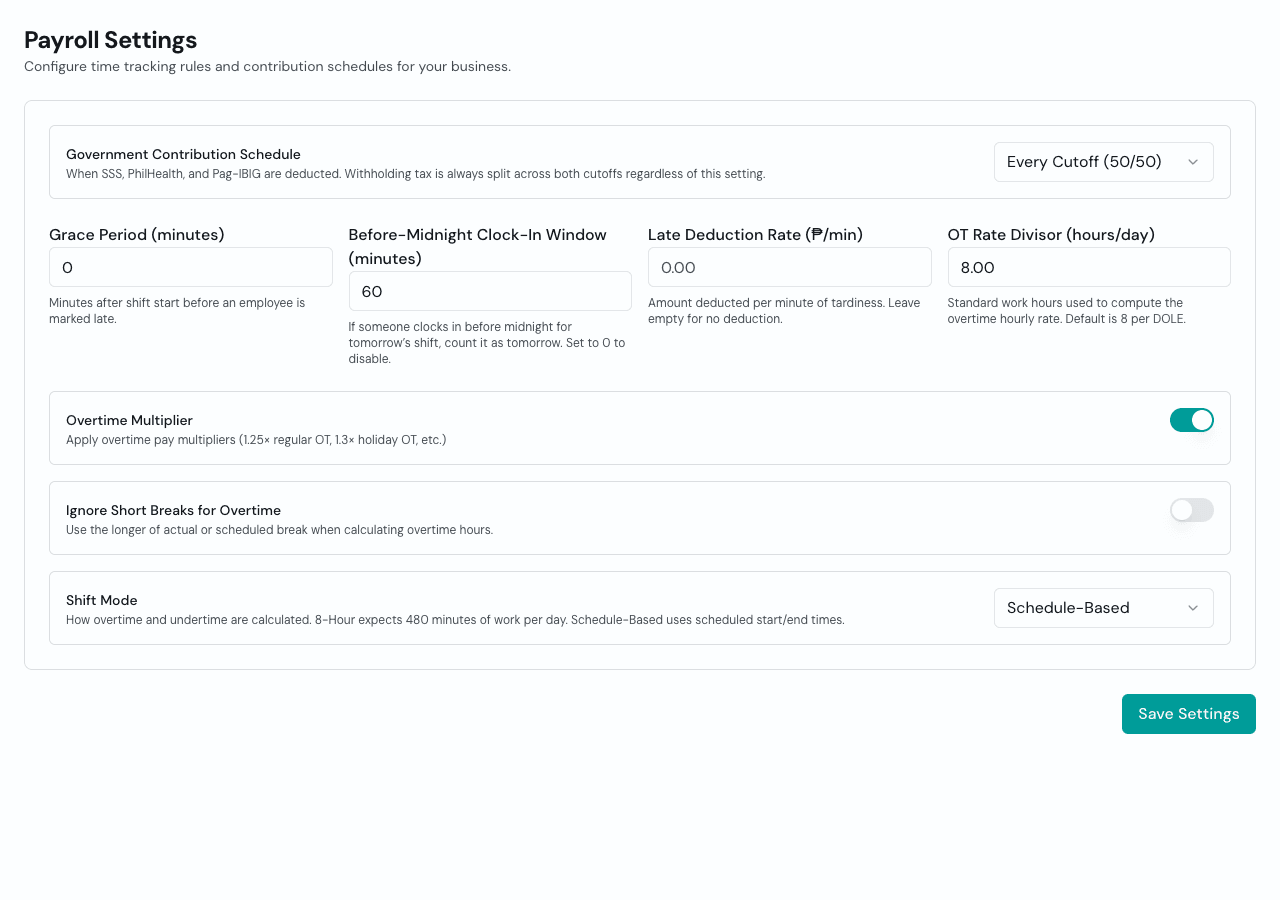
Some shifts start after midnight, but real people arrive before the clock turns. You can now set a Before-Midnight Clock-In Window in Payroll Settings so an employee who clocks in a little early for a next-day shift is counted on the correct payroll work date. That means cleaner cutoffs, fewer manual corrections, and attendance that follows the shift instead of the calendar's technicality.
Employee Numbers You Can Correct
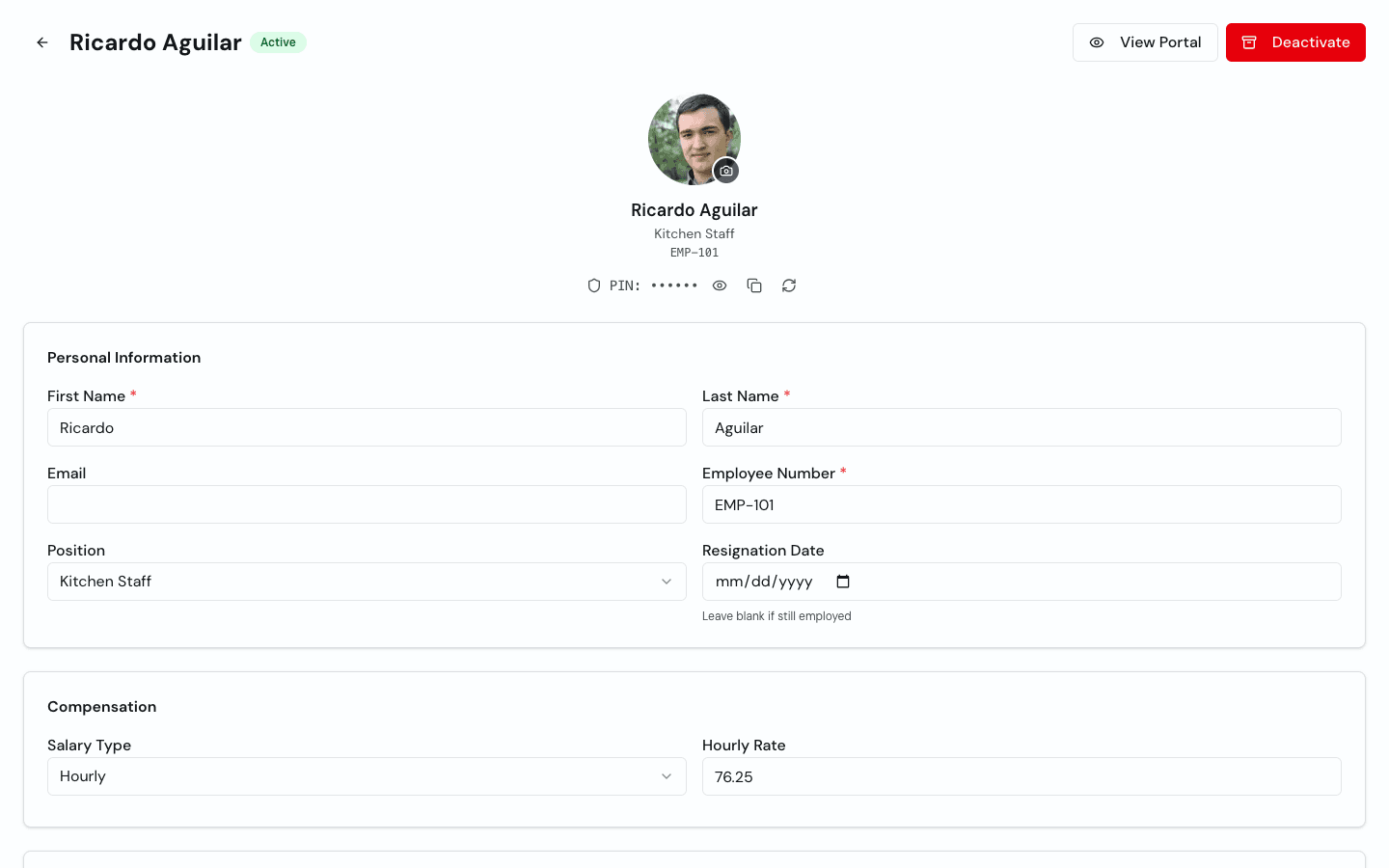
Employee numbers are often copied from old HR lists, payroll sheets, or handwritten records, and typos happen. You can now edit an employee's number directly from their staff profile instead of recreating the employee. Timekeep still requires a number and checks that it stays unique within your business, so schedules, attendance imports, payroll exports, and portal logins keep matching the right person.
Apr 27, 2026
Schedule Changes You Can Trace
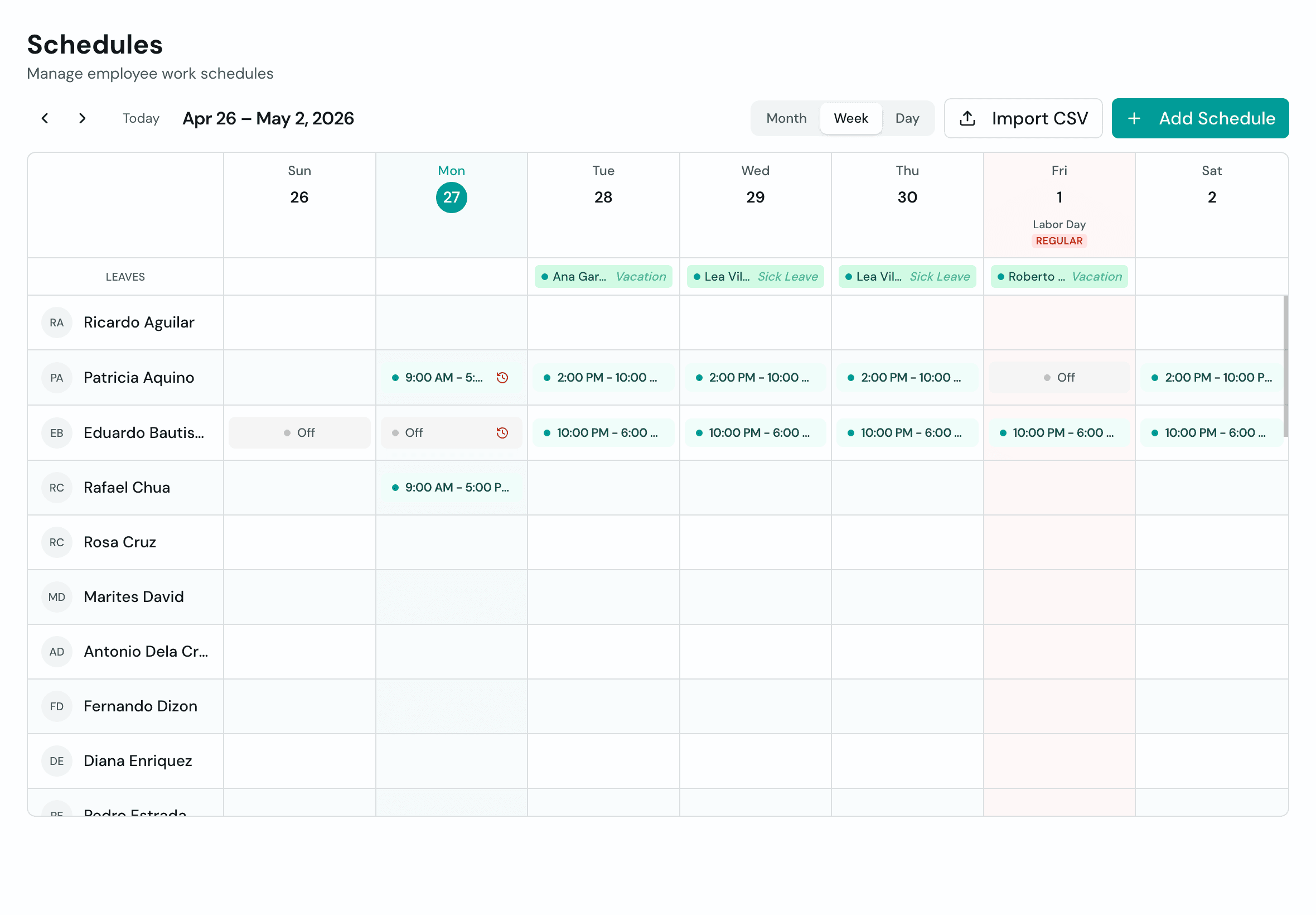
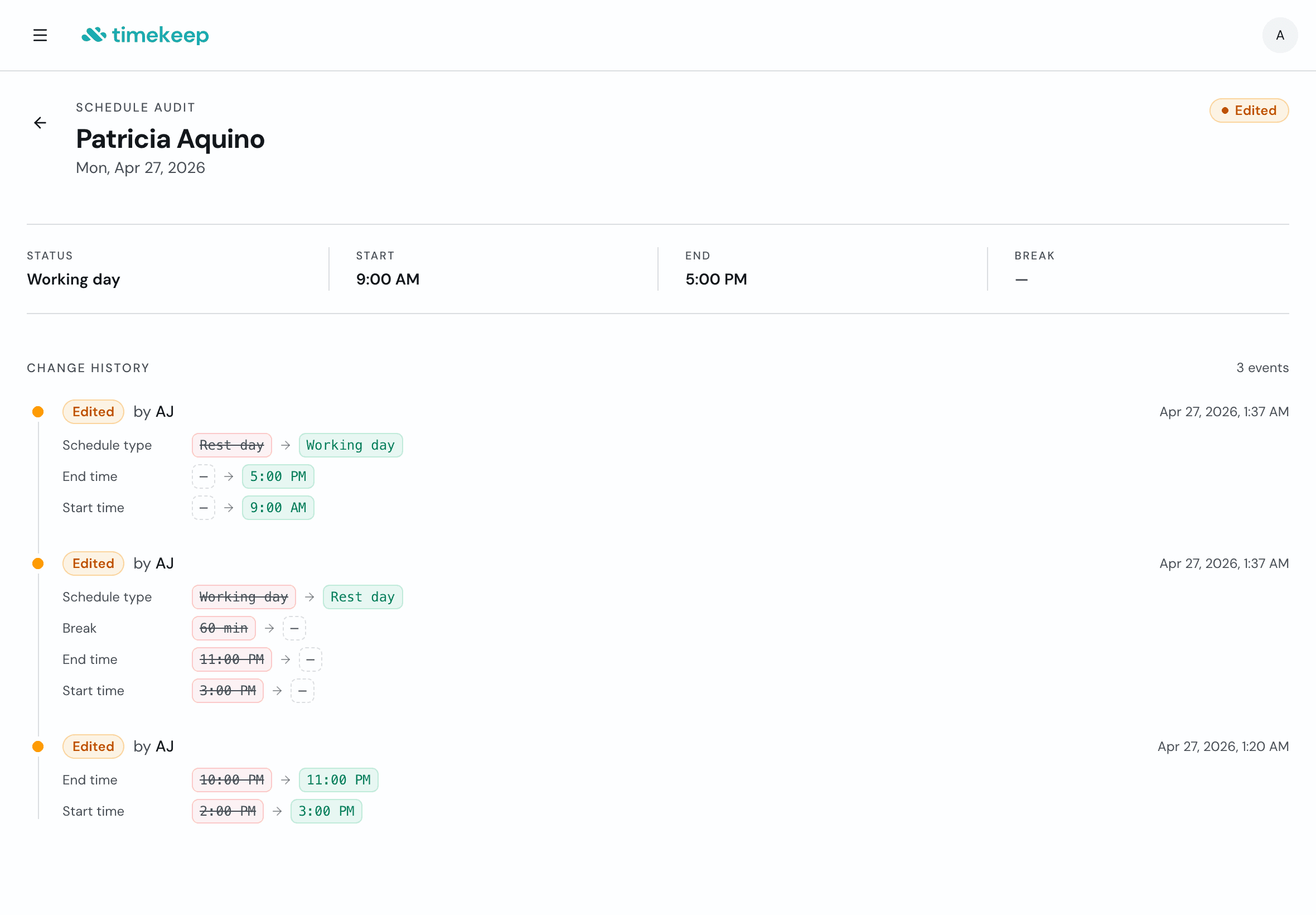
When the weekly roster gets edited, you should not have to guess what changed or who changed it. Edited schedule cells now show a small audit icon right on the calendar, so you can spot changes before payroll gets messy. Open the schedule to see the old value, the new value, who made the edit, and when it happened. Rest days changed to working days. Start times moved. Breaks removed. It is all there, so cutoff cleanup has a paper trail instead of a memory test.
Apr 25, 2026
Payroll Runs That Match Your Team
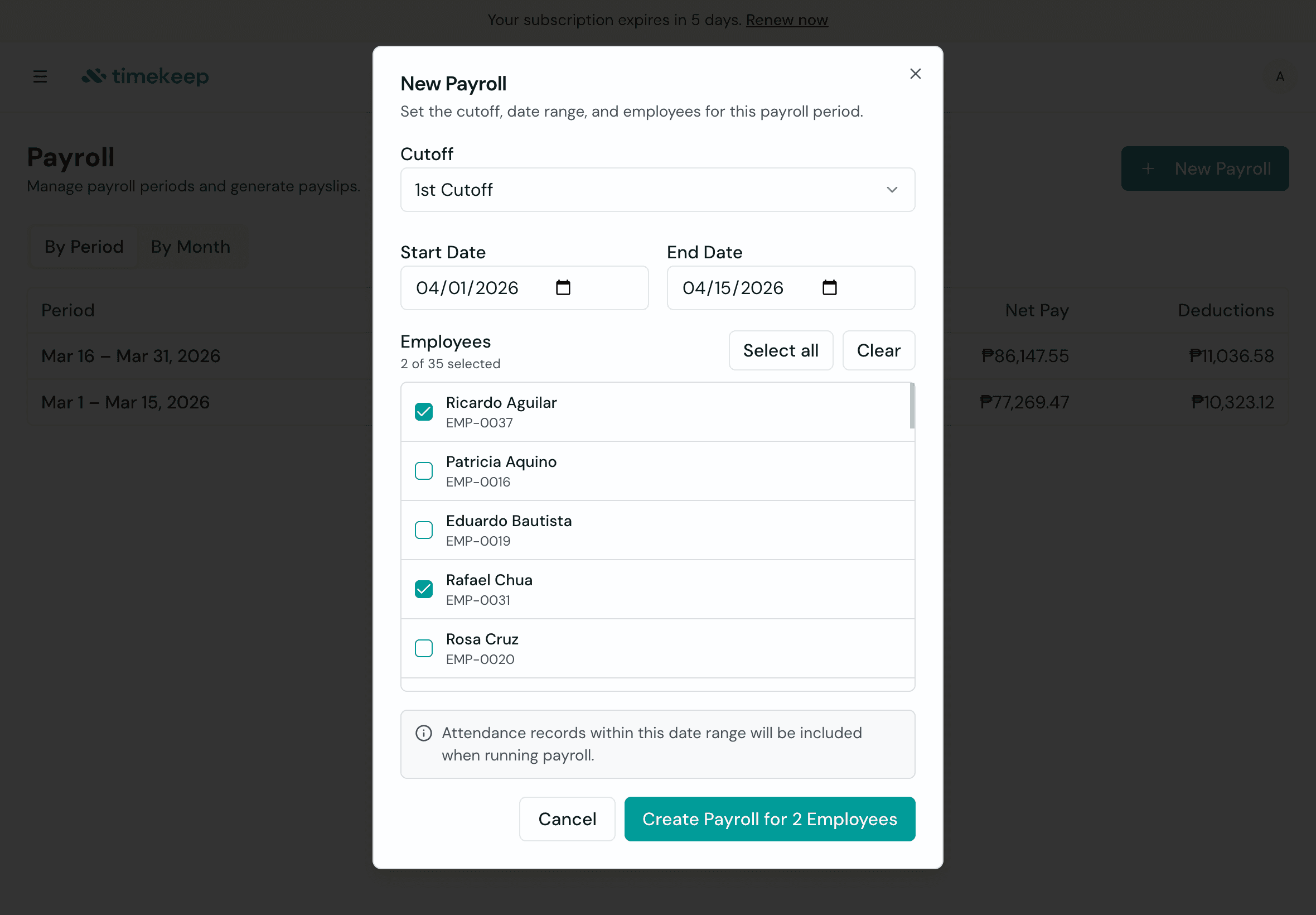
Not everyone needs payroll prepared on the same date. Some employees are paid weekly, others bi-weekly, and some teams are processed in separate batches. Now you can choose the employees for each payroll run before generating it. Timekeep builds the run around that group only, so each pay date stays clean and easier to review.
Attendance Review With the Details Payroll Needs
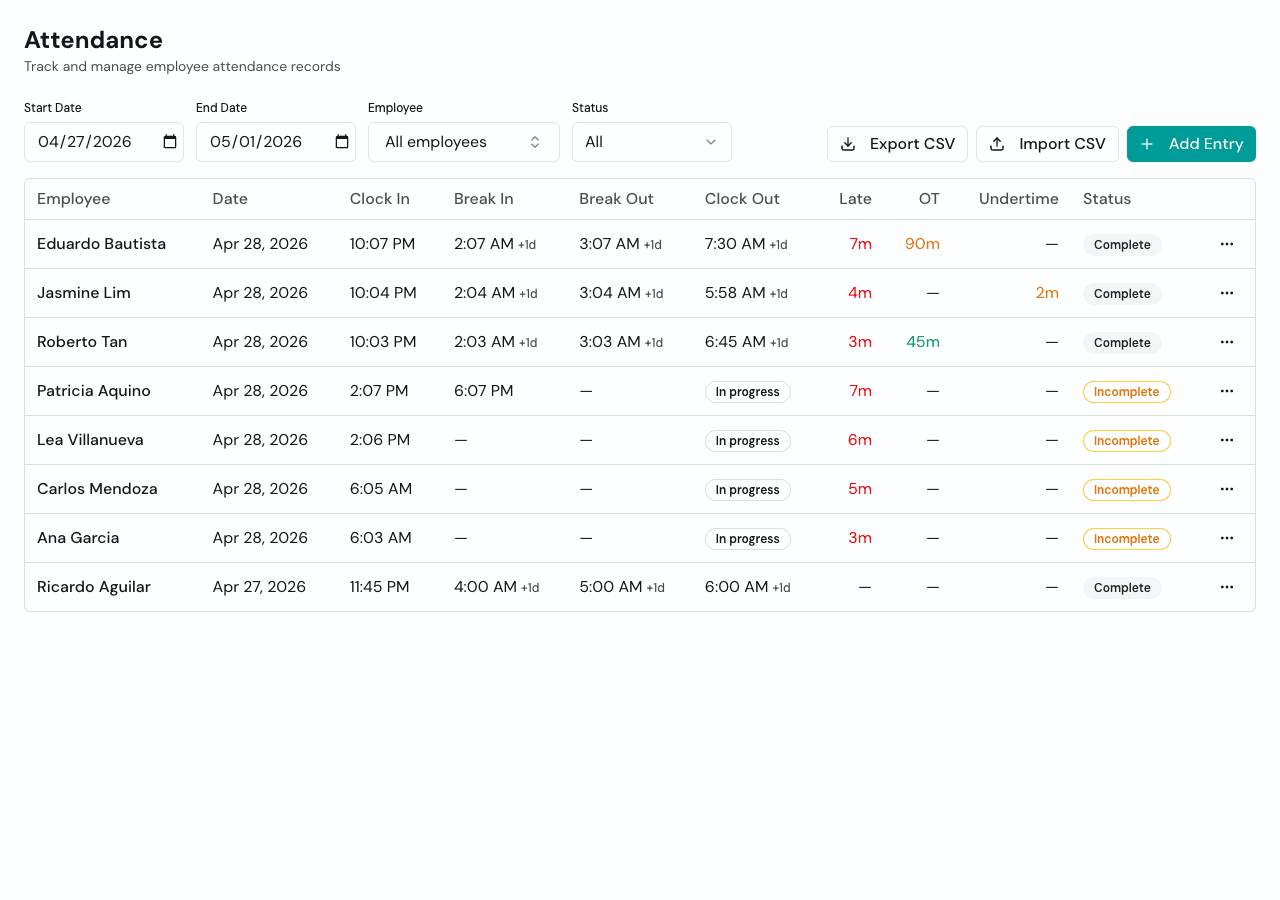
When a shift crosses midnight, a plain timestamp is not enough. Attendance now shows clearer next-day context for overnight clock and break times, and the attendance CSV export includes scheduled shift and hour-review columns for payroll checking. It gives owners the trail they need before generating pay, especially for closing shifts, early mornings, and records that used to require a second look.
Apr 14, 2026
Holiday Pay, Broken Down by Day
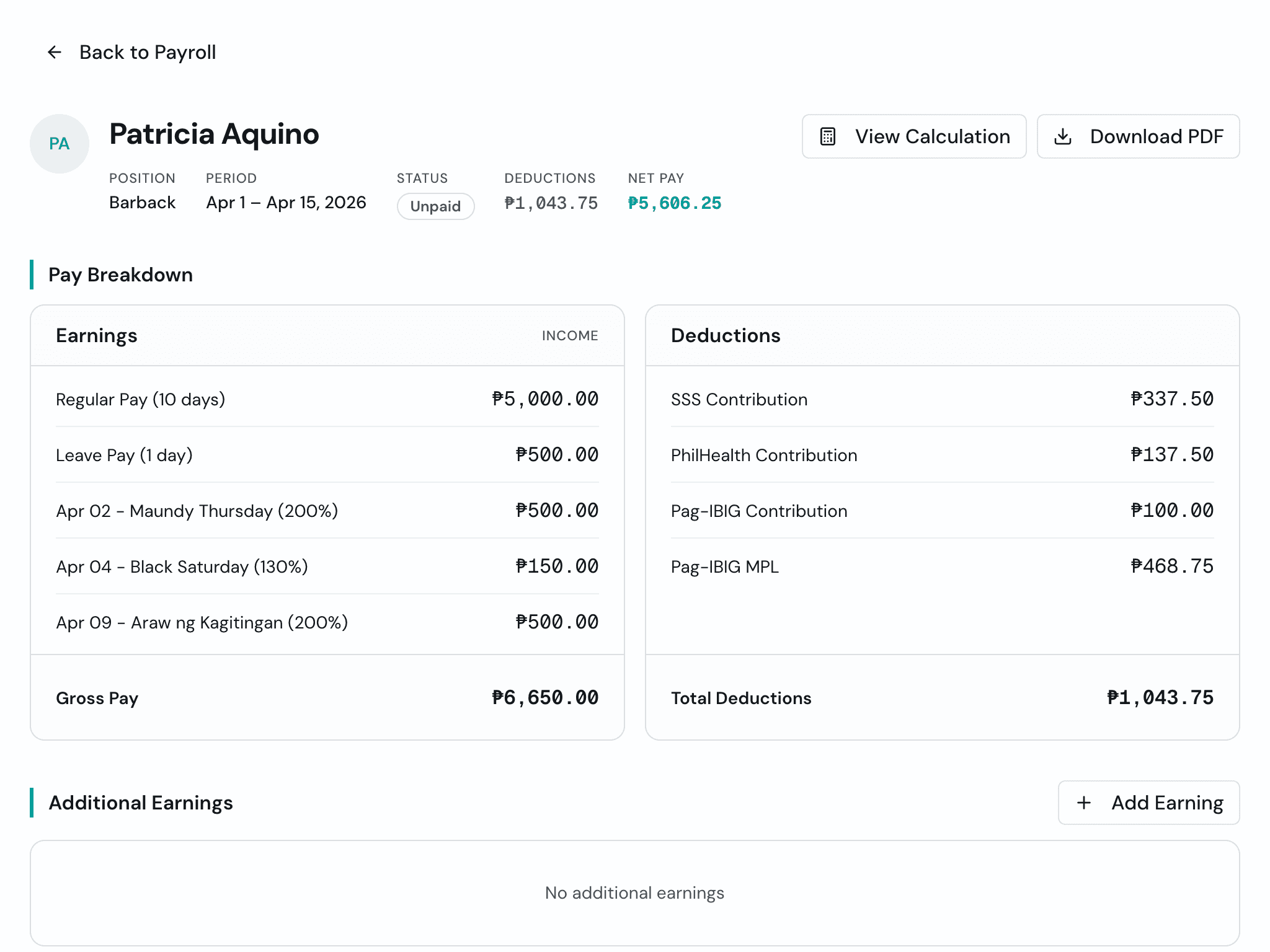
Before, holiday pay showed up as one lump sum on the payslip. If Holy Week landed in the middle of a cutoff, your staff had no way to know what each holiday actually paid. Now every holiday shows up as its own line: the date, the holiday name, and the rate. Your barback sees Maundy Thursday at 100% and Black Saturday at 130%, right there on the payslip. Less confusion, fewer questions, more trust in the numbers.
Apr 13, 2026
Left-Early Work Credit Fix
If an employee left early without taking their break, Timekeep was sometimes counting the unused break as work time. That could wipe out their undertime or even show overtime they never actually earned. Fixed. Work credit is now capped at the time they were actually on site, so early departures show up as undertime the way they should.
Payroll Totals, Ready for Your Accountant
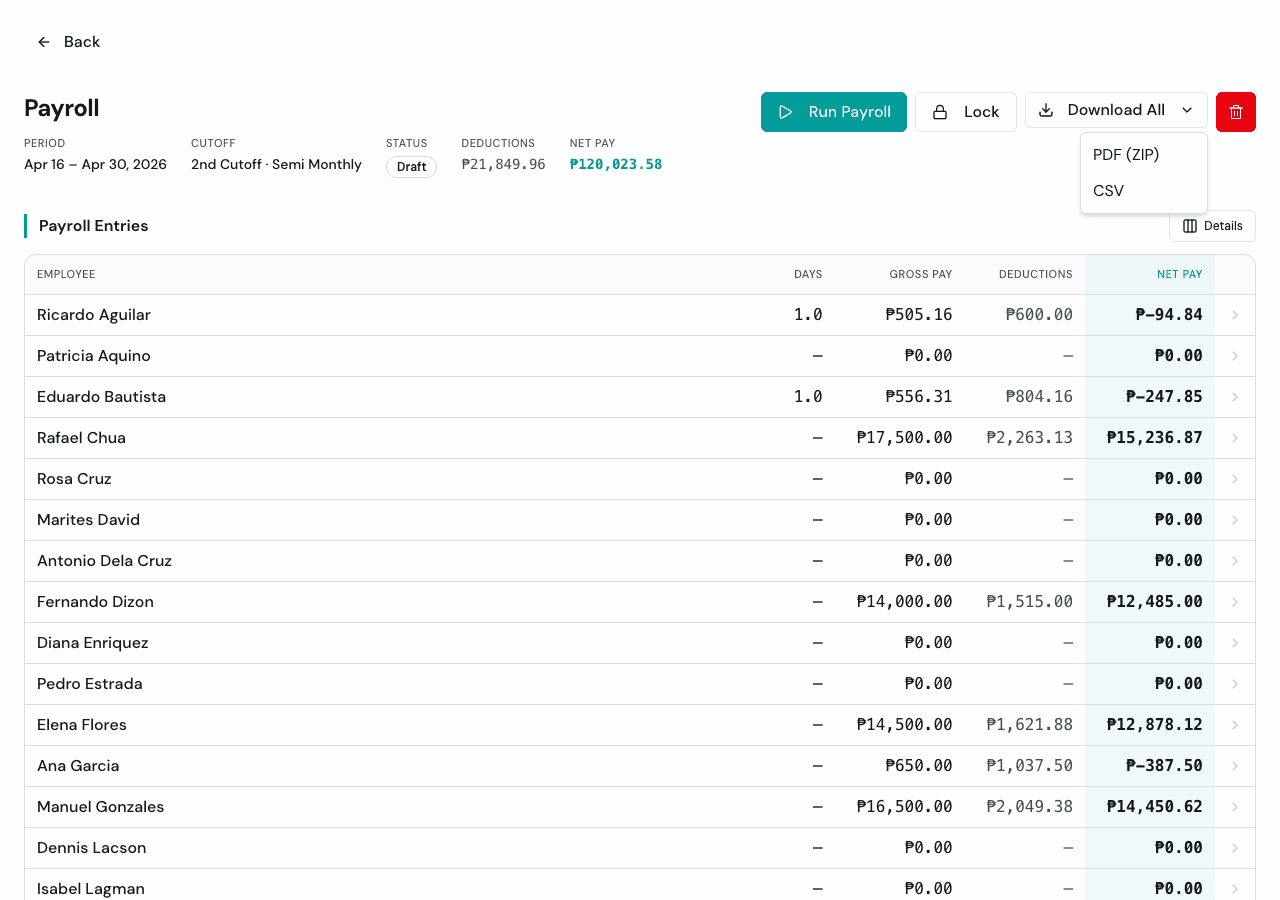
The payroll download menu now includes a CSV export alongside the payslip PDF ZIP. Use it when your accountant wants the numbers in a spreadsheet: earnings first, deductions next, totals last, arranged in the same flow you use to review payroll inside Timekeep.
Apr 5, 2026
Face Verification Works Automatically When Photos Exist
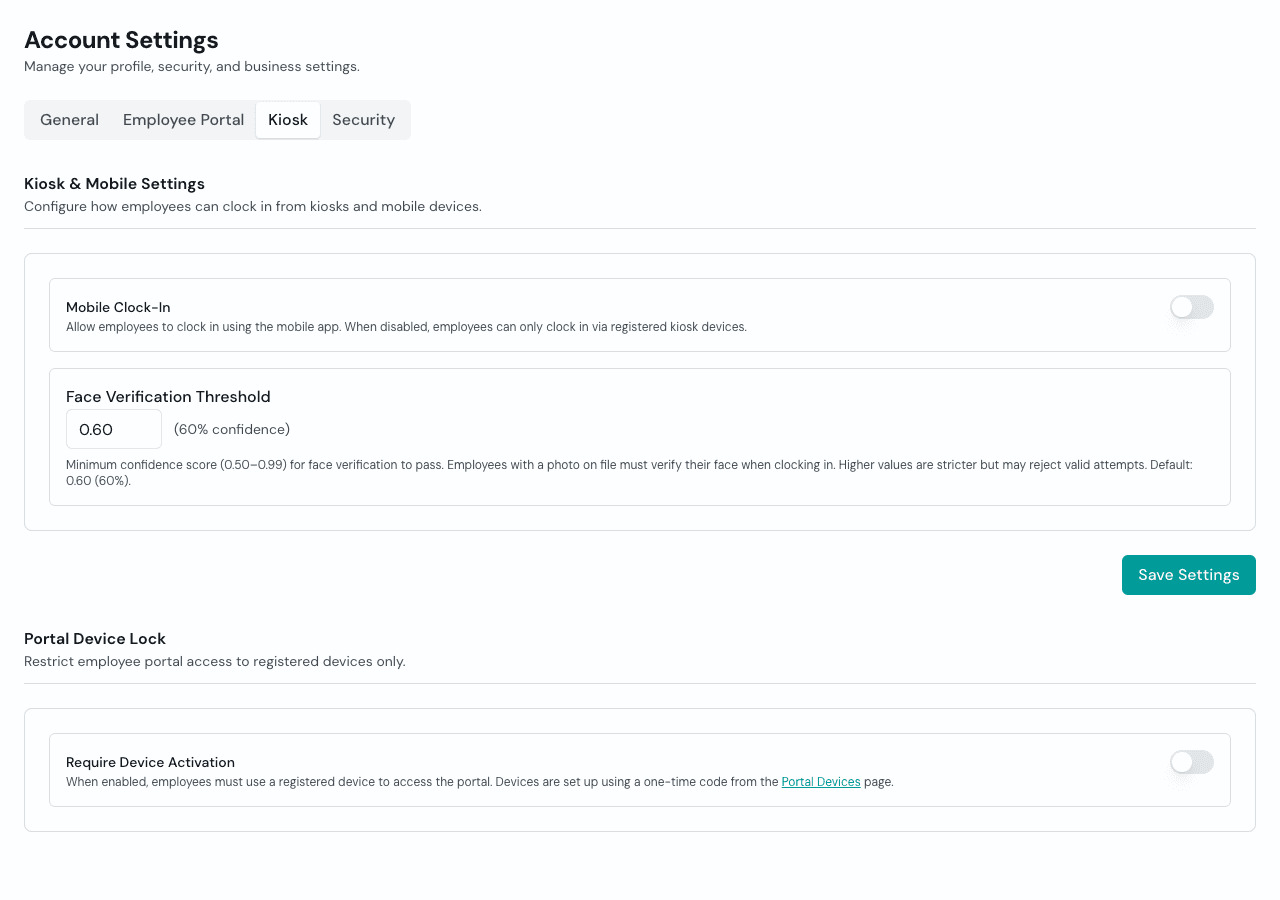
If an employee has a reference photo, Timekeep now treats face verification as part of clocking in. Employees without photos can still use PIN-only clocking, but teams with photos get the extra check automatically. It keeps the promise simple: add staff photos when you want stronger attendance proof, and Timekeep does the rest.
Apr 4, 2026
Portal Devices
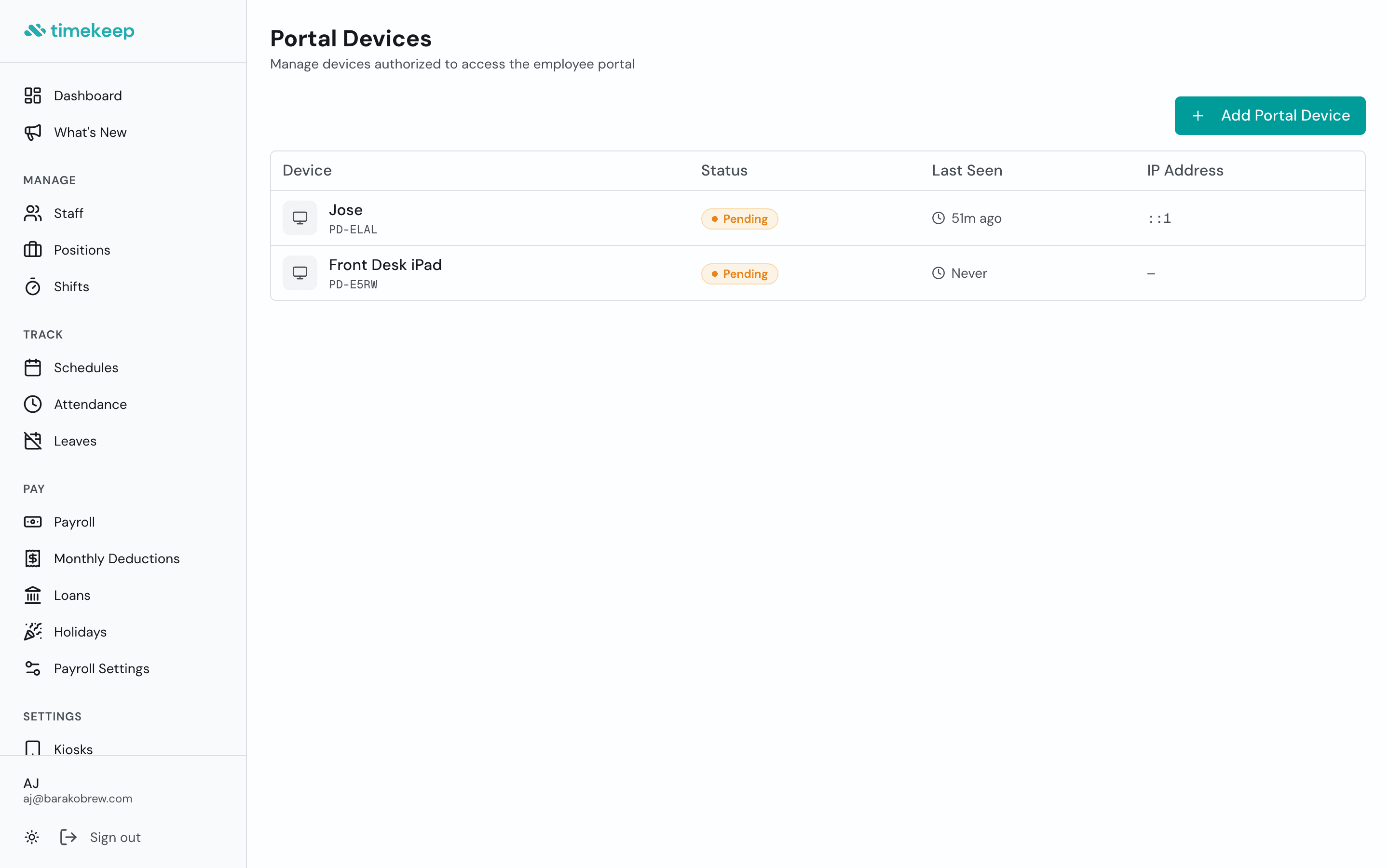
Set up a dedicated device for the employee portal. The break room tablet, the office computer, wherever your team checks their payslip. Register it under Portal Devices, activate it with a one-time setup code, and turn on Portal Device Lock in Account Settings. From then on, the portal only opens on devices you've registered. If a device gets swapped out, revoke it and generate a new code.
Apr 3, 2026
Location Context for Portal Clock-Ins
Remote clock-ins are easier to review when the record carries its own context. Portal attendance can now store GPS coordinates for clock-in, breaks, and clock-out, then show a map link beside the verification photo when location is available. Bad or missing location data will not block a staff member from clocking in, but when the phone provides it, the owner gets a clearer attendance record.
Hourly Employees, Handled Natively
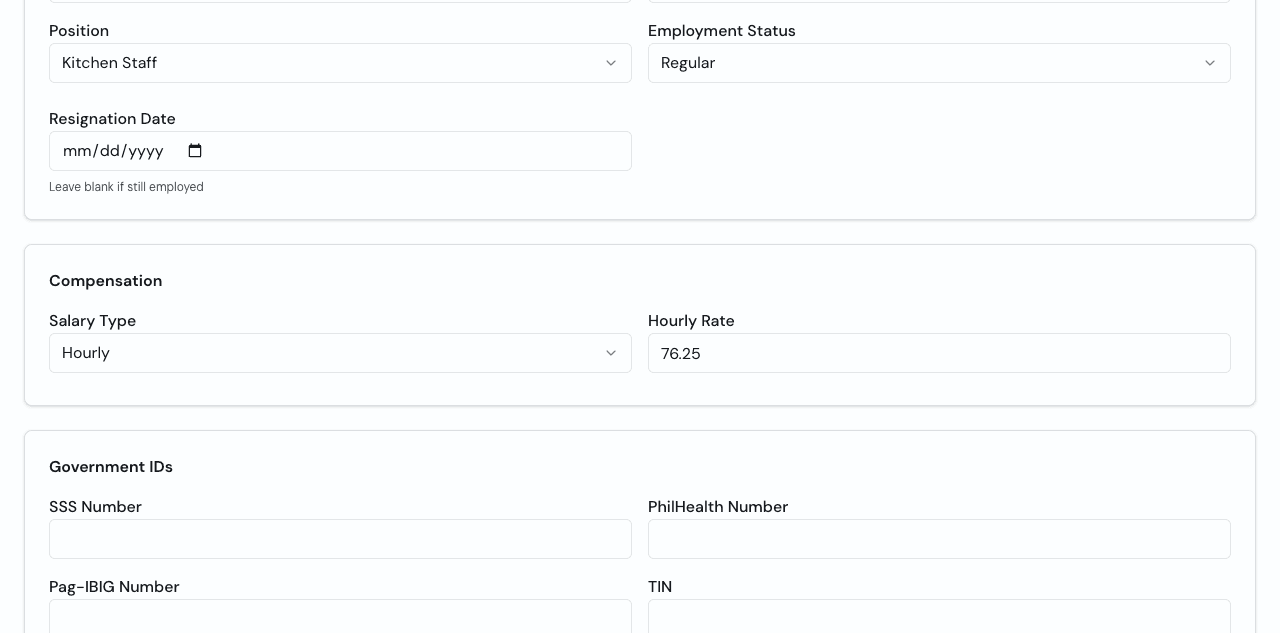
Not every worker fits a daily rate or fixed monthly salary. Timekeep now supports hourly employees directly, with hourly rate setup on the employee profile and payroll calculations built for hourly work. It gives part-timers, extra shifts, and variable-hour staff a cleaner home in the system instead of forcing them into the wrong salary shape.
Configurable OT Rate Divisor
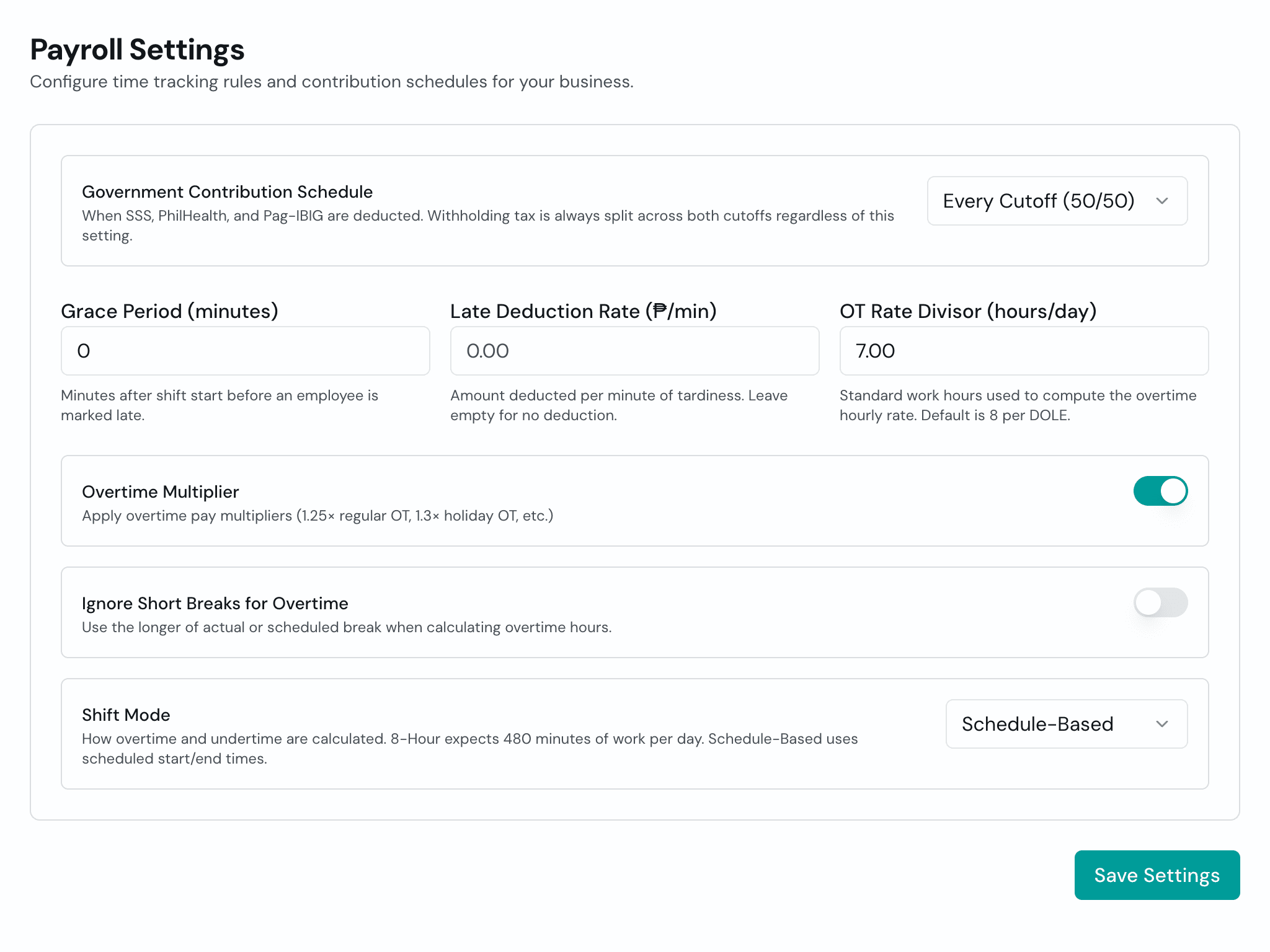
Not every business runs 8-hour shifts. If your team works shorter days, you can now set your own OT Rate Divisor in Payroll Settings to match your actual shift length. The overtime computation adjusts automatically. The value gets locked into each payslip when you generate it, so past payroll stays accurate even if you change the setting later.
Mar 30, 2026
Scheduler Role
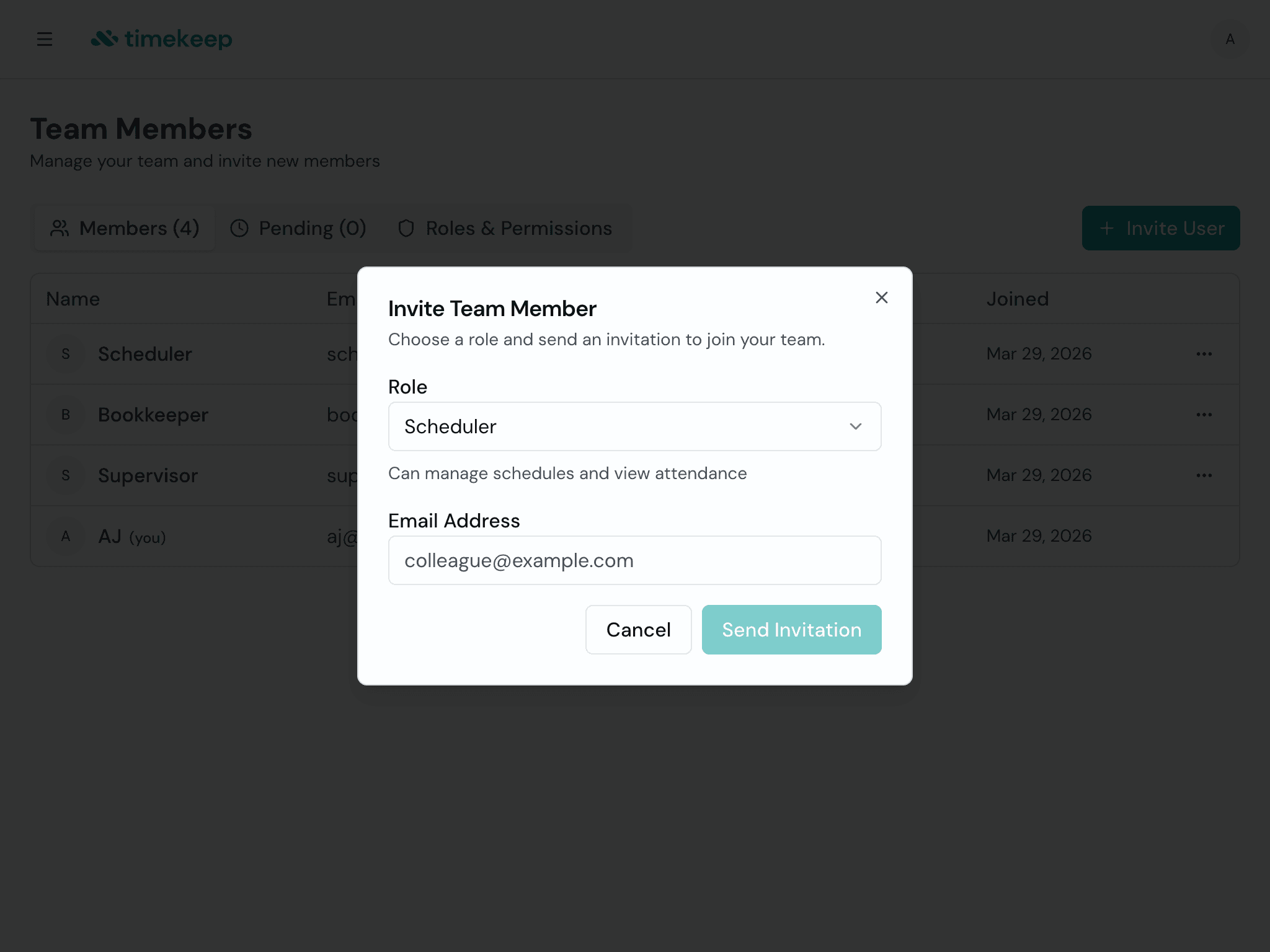
Got a team lead or supervisor who handles the weekly roster? You can now invite them to Timekeep with the Scheduler role. Go to Team Members, send an invite, and pick Scheduler. They get access to create and edit schedules and view attendance. Payroll, staff records, shift settings, and company settings stay hidden. They see what they need to plan the week, nothing more.
Mar 23, 2026
Automatic Allowances
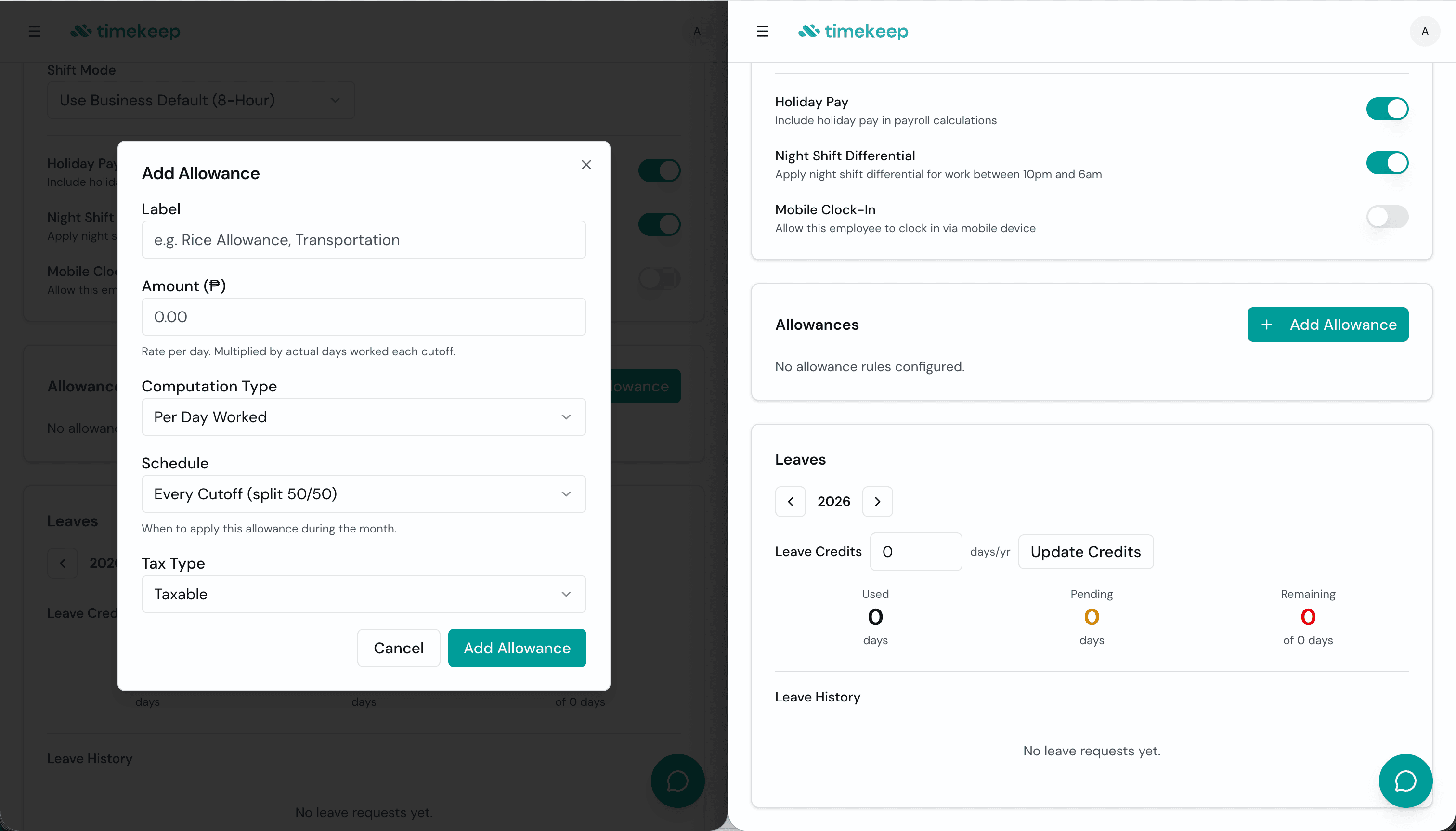
Rice subsidy, transpo, meal allowance - if you've been adding these manually every cutoff, you don't have to anymore. Set it up once on the employee's profile: the label, the amount, whether it's taxable or exempt, and how it's computed - fixed per cutoff, per day worked, or per hour worked. Timekeep handles the rest. Every payroll run, the allowance lands on the payslip automatically, broken out so both you and your staff can see exactly what was added.
Mar 22, 2026
Local Holidays Follow Your Business Location
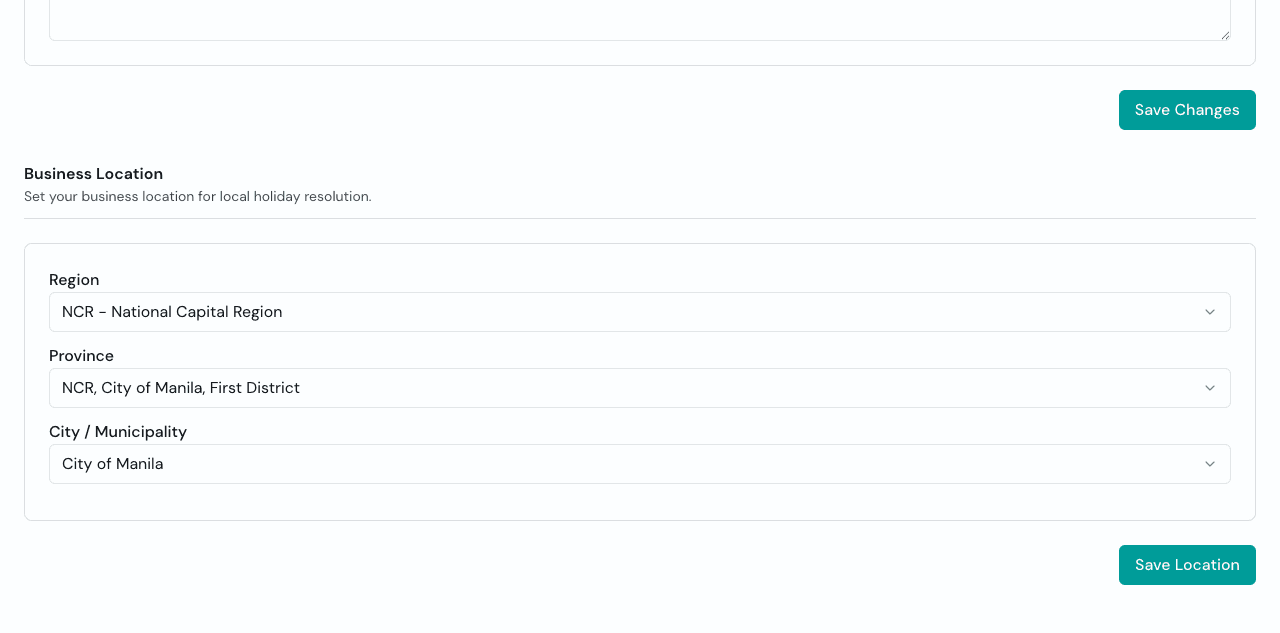
Payroll should know the difference between a national holiday and the holiday that matters only in your city or province. Timekeep can now use your business location to resolve local holidays, apply the right holiday rules, and show those dates where they affect schedules and payroll. Set the location once, and the calendar starts working closer to the way the Philippines actually works.
Mar 17, 2026
Bookkeeper Role
You can now invite an accountant or bookkeeper to your account with read-only access. They can view payroll, deductions, loans, and holidays without seeing staff records, schedules, or attendance. Go to Team Members, send an invite, and assign the Bookkeeper role. They see what they need for the books, nothing more.
Mar 16, 2026
Support Tickets
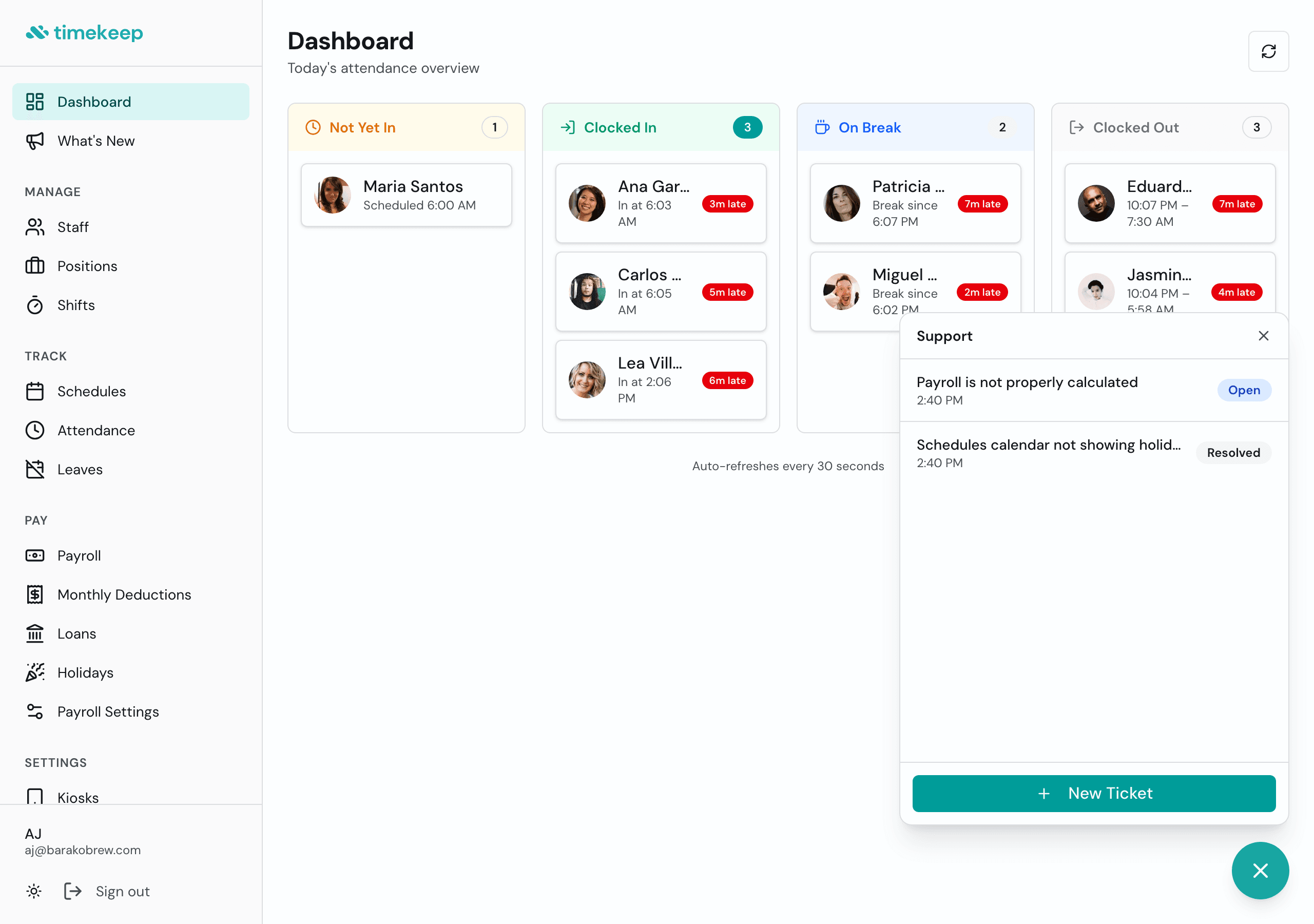
Need help? You can now open a support ticket right from the app. Click the chat icon in the bottom-right corner or go to Settings > Support. Describe your issue, and the Timekeep team will reply directly in the thread. You can track all your open and resolved tickets in one place.
Holidays Now Visible on the Schedule Calendar
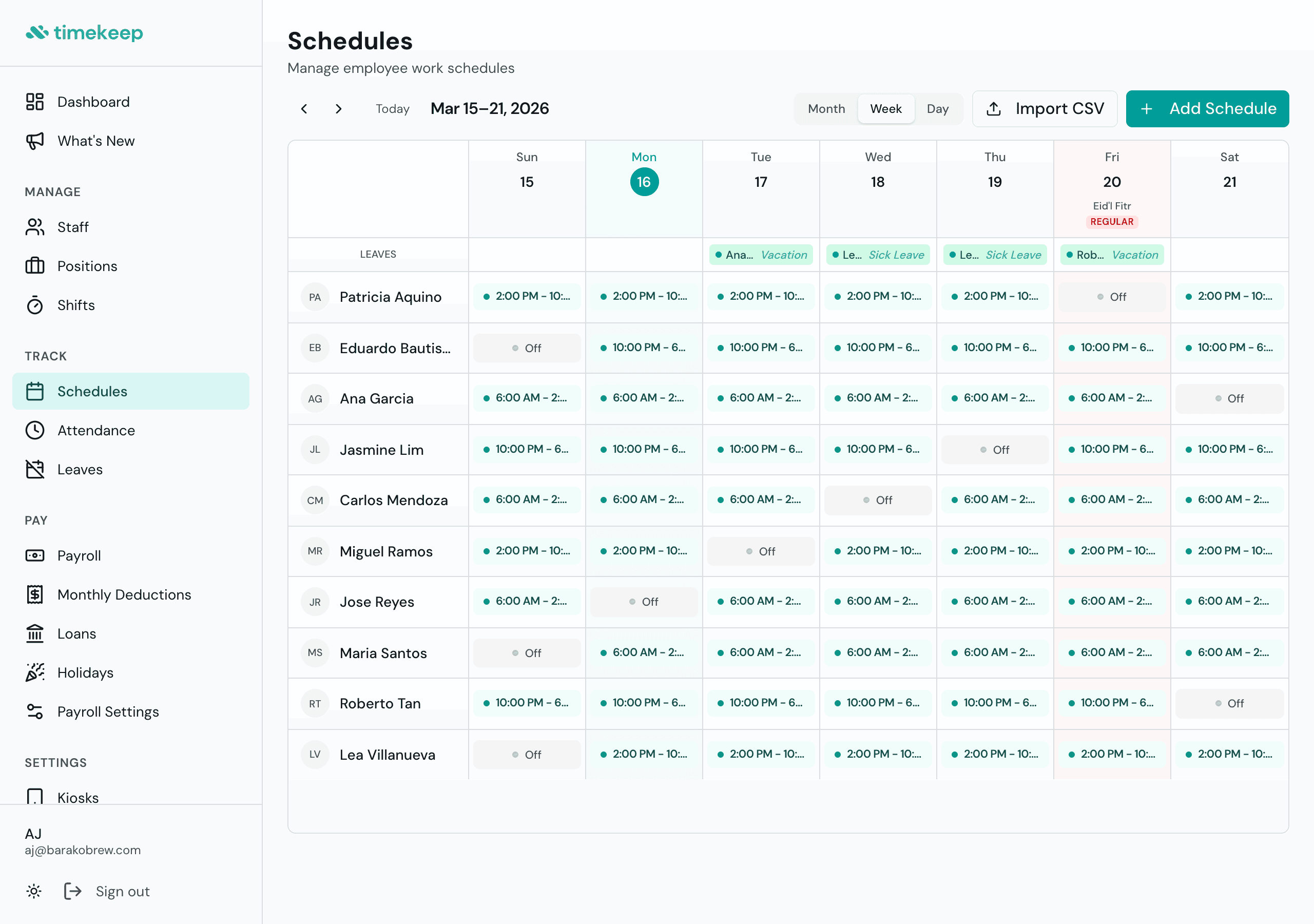
You used to have to flip between the schedule and the Holidays page just to check if a day is regular or special non-working. Now holidays show up right on the calendar. You'll see the holiday name and whether it's regular or special, with a color tint on that day so it's obvious at a glance. Works in week, month, and day views.
Mar 14, 2026
Employee Loans That Deduct Themselves
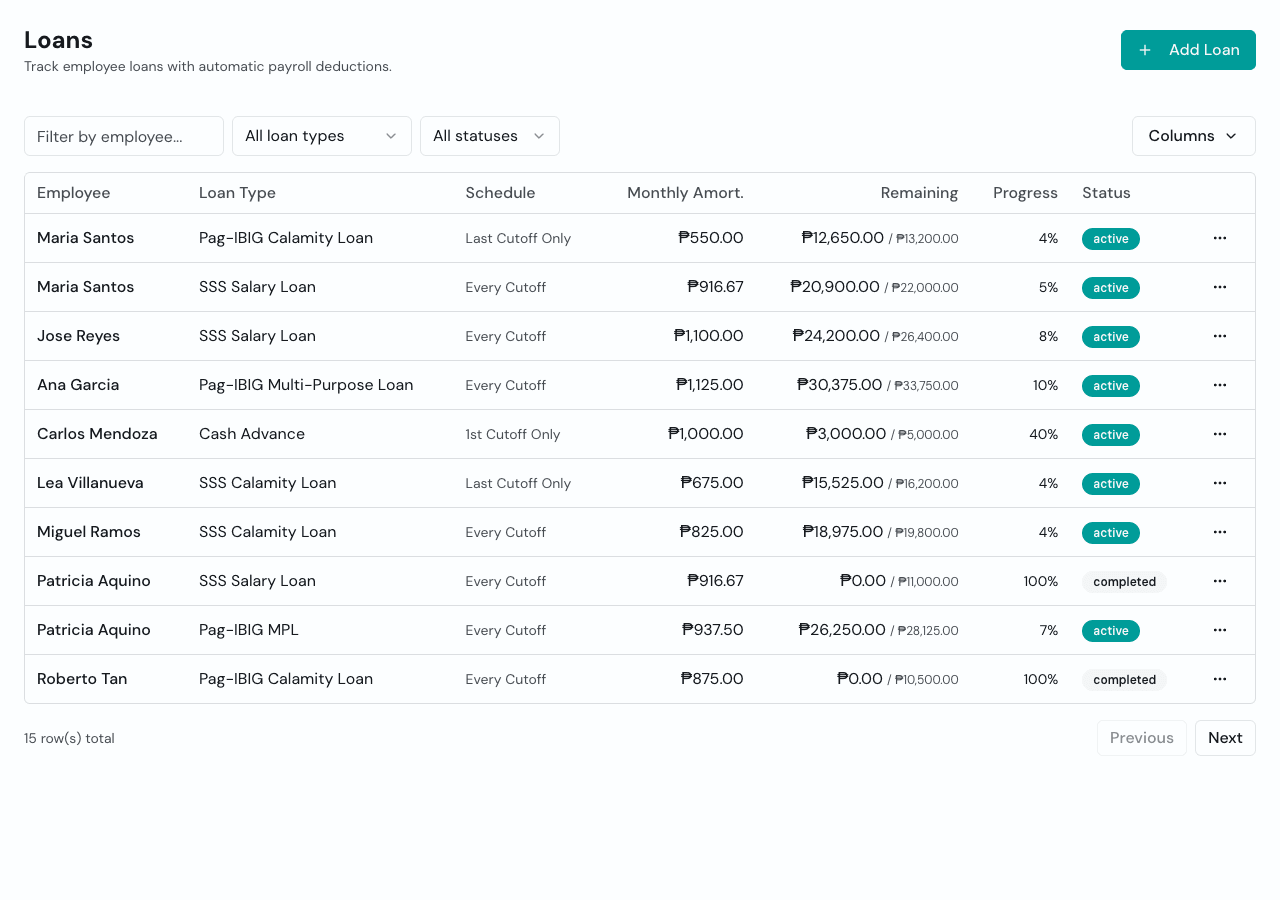
Company loans, SSS salary loans, SSS calamity loans, Pag-IBIG MPL, and Pag-IBIG calamity loans can now live inside Timekeep. Set the loan amount, schedule the deduction, and payroll applies it automatically until the balance is paid down. Employees can also see their loan details and payment history in the portal, so everyone is looking at the same balance.
Overtime Hours Now Show the Approved Amount
If you approved 30 minutes of overtime but the payslip showed the full 90 minutes clocked, that was us. The pay was always computed correctly, but the display was pulling the raw hours instead of the approved amount. Fixed now. Payslips and CSV exports show exactly what you approved.
Mar 13, 2026
Per-Employee Government Contribution Schedule
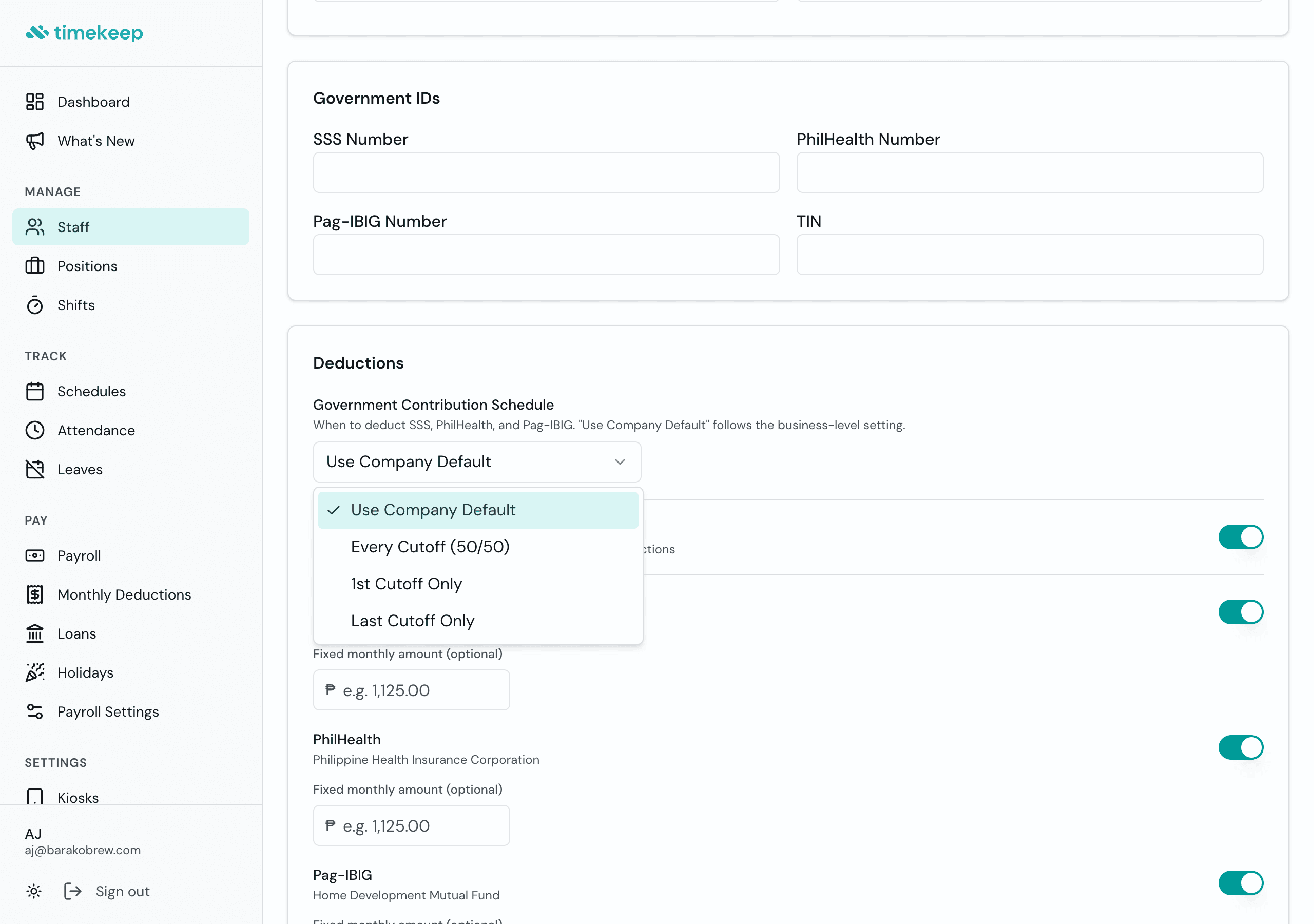
Most of your staff probably follow the same SSS, PhilHealth, and Pag-IBIG deduction schedule. But there's always that one person on a different arrangement. Now you can override the company-wide schedule for individual employees right from their profile under Deductions. Everyone else stays the same.
Approved Leave in Payroll
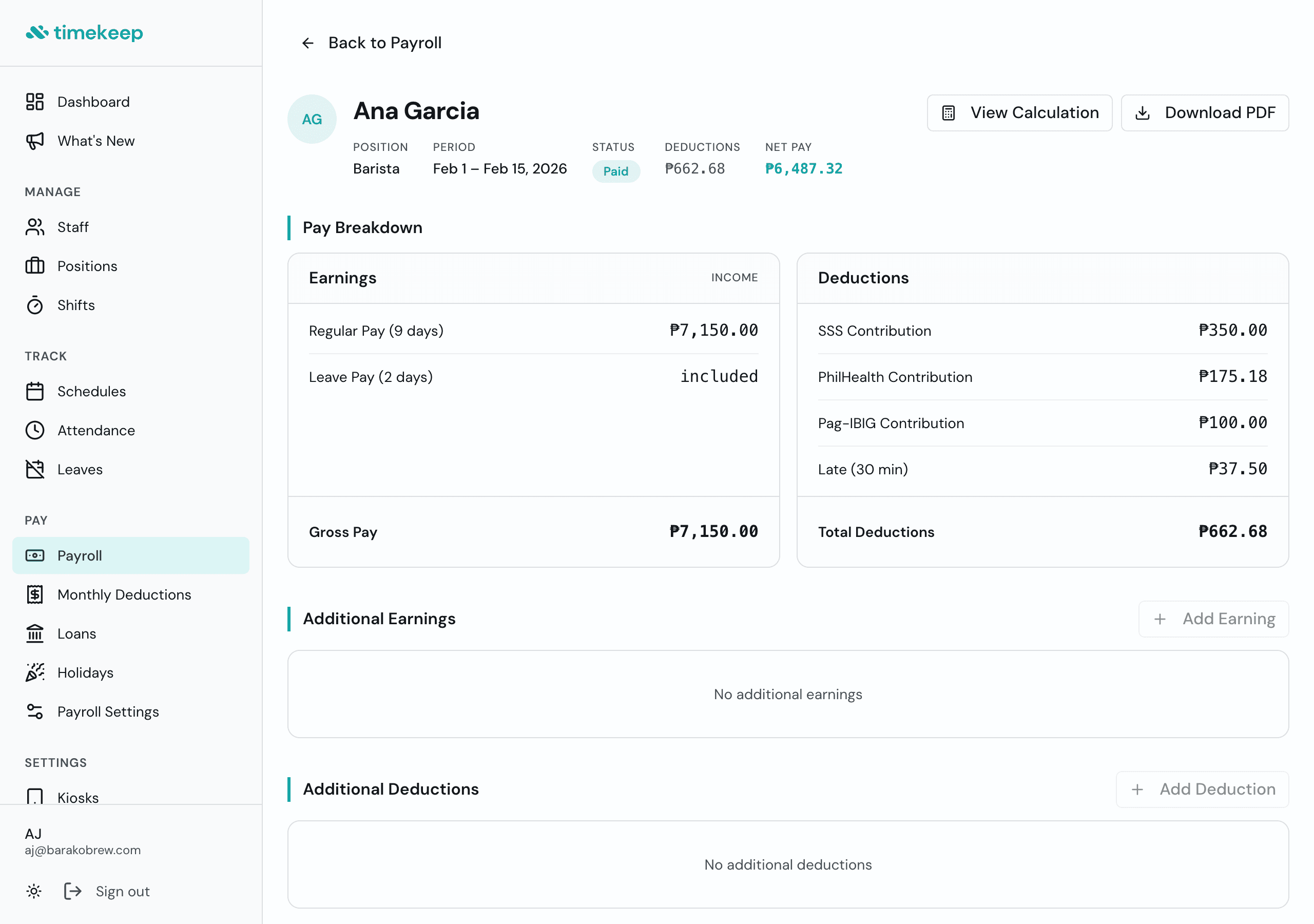
Before this, you had to manually adjust payroll when someone took an approved leave. Now approved leaves flow straight into the computation. Each leave day gets paid at the daily rate and stays separate from your days-worked count, so the totals add up without you touching anything.
Employee Filter on Attendance
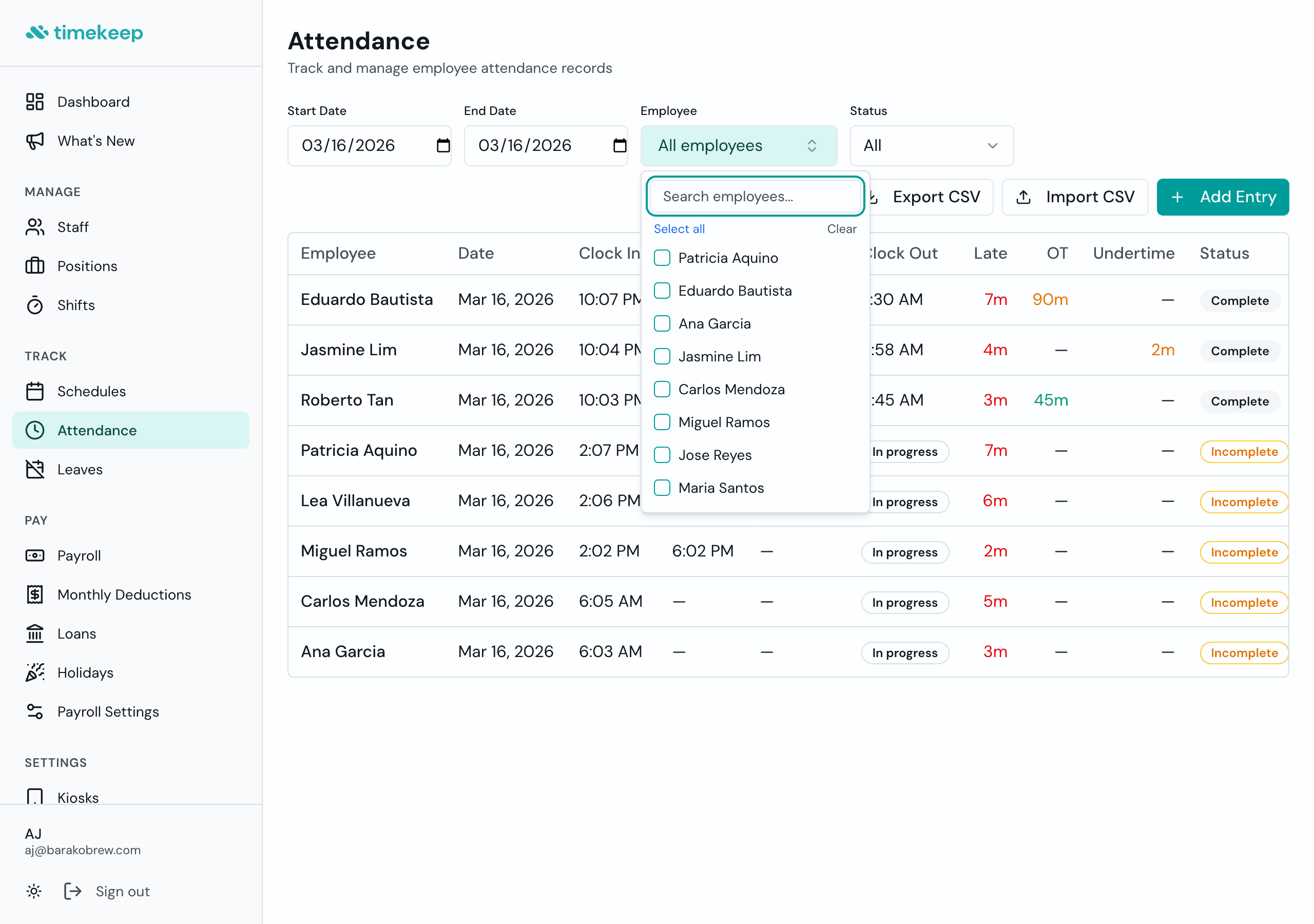
Looking for one person's attendance in a list of 30? Now you can filter by name. Pick one or several staff members from the dropdown, or just start typing. The page shows only the records you're looking for.
Mar 12, 2026
Fixed Amount Deductions
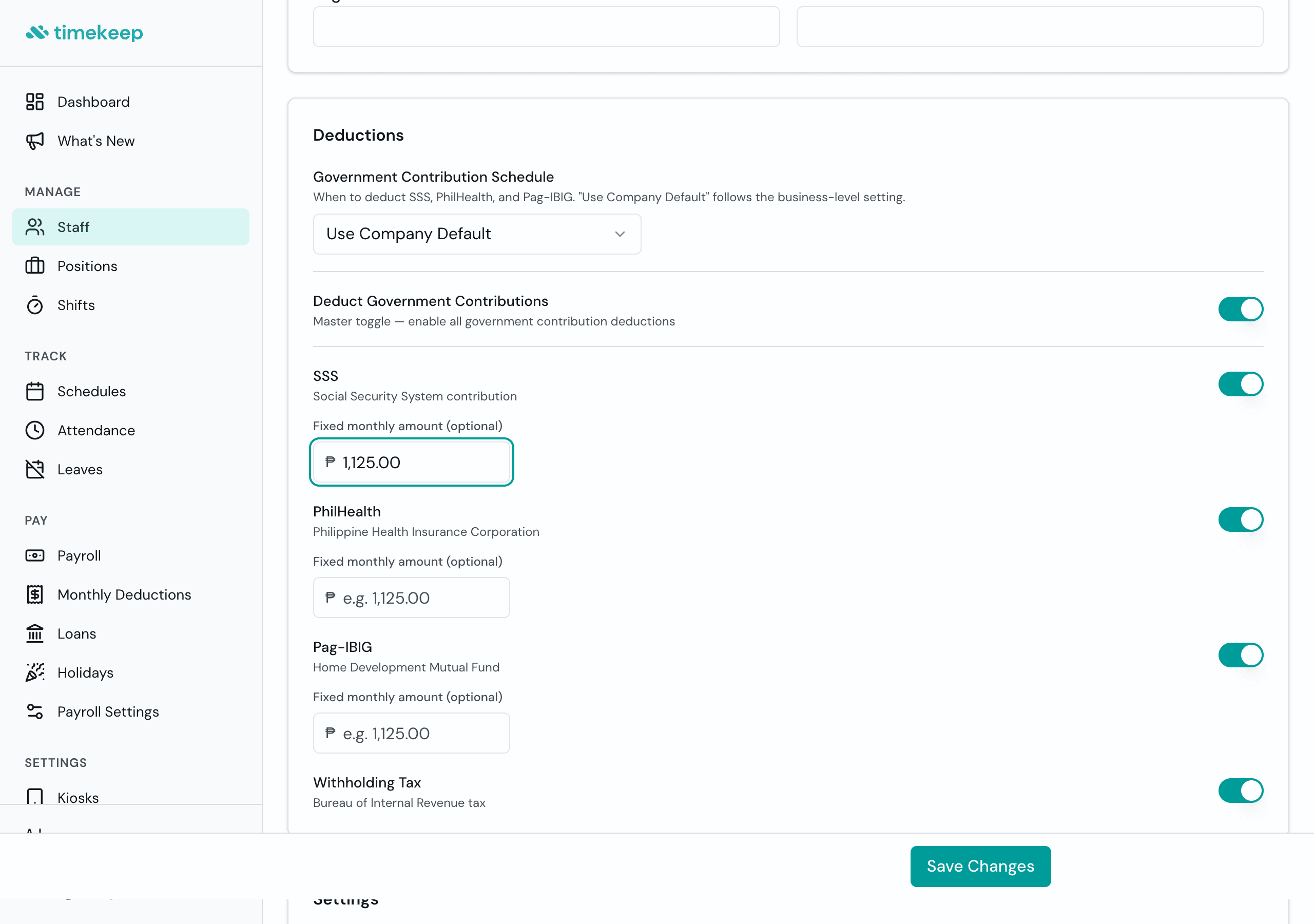
Sometimes the standard SSS, PhilHealth, or Pag-IBIG table doesn't match what an employee actually needs to pay. Maybe their bracket is off, maybe there's a special arrangement. Now you can set a fixed peso amount per employee instead of relying on the table. The override applies every cutoff until you change it.
Mar 8, 2026
Shift Mode per Employee
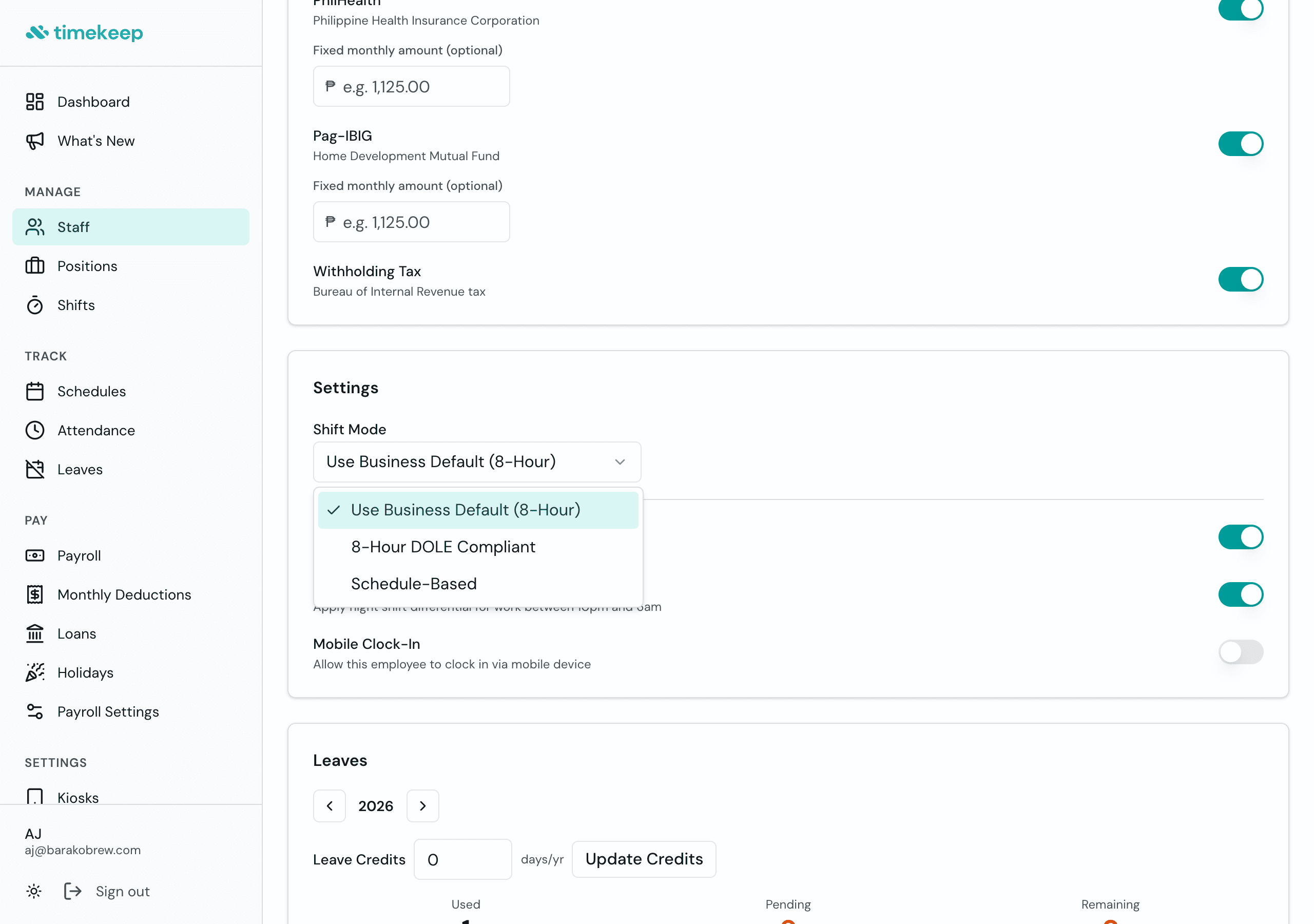
Not everyone on your team works the same way. Some clock in whenever they're needed, others follow a strict schedule. Before, shift mode was one setting for the whole business. Now you can set it per employee. Your barista on a fixed schedule and your part-timer on flex shifts? Both handled.
Mar 7, 2026
CSV Import for Staff, Attendance, and Schedules
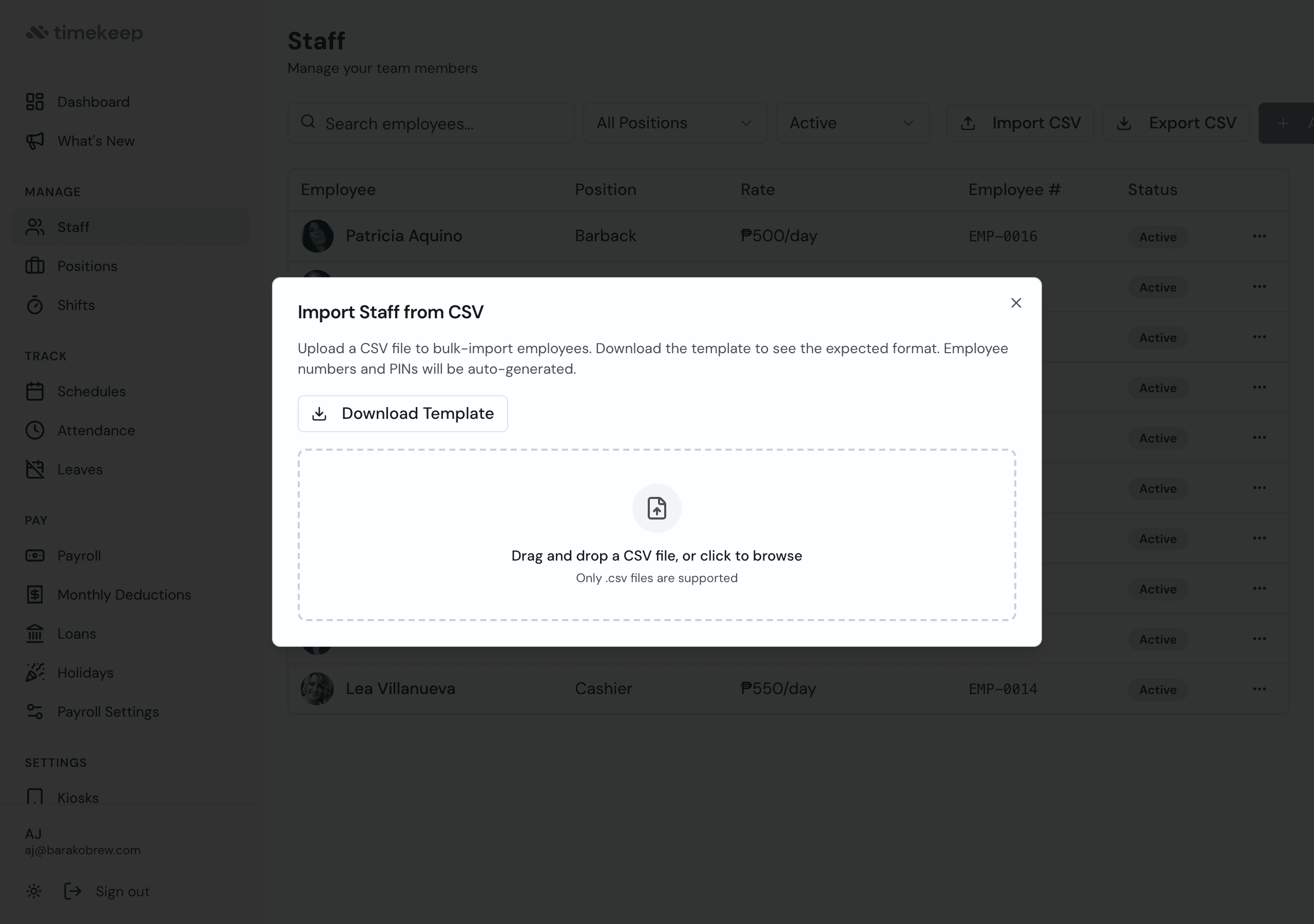
If you've got 20 staff and you've been adding them one by one, this one's for you. Export your list from a spreadsheet, upload the CSV, and Timekeep pulls everyone in at once. Works for attendance records and schedules too. Everything gets validated before it saves, so no surprises.