
Mar 24, 2026
How to Track Employee Attendance Without a Biometric Machine
Practical alternatives to biometric attendance for Philippine small businesses. Tablet kiosks, photo verification, and what actually works for 5 to 50 staff.
Your fingerprint scanner has been acting up for two weeks. Half the time it doesn't read, so your staff just write their names on a piece of paper next to the machine. You're running payroll tomorrow, and the attendance data is split between the device, a handwritten log, and your memory of who actually showed up last Tuesday.
Sound familiar? Biometric machines have been the default for Philippine businesses for years, but they come with costs and headaches that don't make sense for a team of 10 or 20 people. There are simpler ways to track attendance that are just as reliable.
What makes biometric machines frustrating
The concept is sound. The execution is where it breaks down for small businesses.
Cost adds up. A decent fingerprint scanner runs ₱5,000 to ₱15,000. Face recognition terminals cost more. Two locations means two machines. If one breaks, you're back to paper until the replacement arrives.
Maintenance is constant. Sensors get dirty, firmware needs updating, and the bundled Windows software hasn't seen an update in years. Staff in food service or manual labor often have calloused fingerprints the sensor can't read consistently.
Data lives on the device. Many machines store attendance locally. To get that data into payroll, you export via USB or a separate tool, then import it wherever you compute pay. That transfer step is where records get lost or mismatched.
One device, one failure point. When the machine goes down, you have no attendance tracking until it's fixed. Some businesses only discover the problem when they try to run payroll and the data is missing.
Option 1: Tablet kiosk with photo capture
Mount a tablet near the entrance. Staff select their name, the camera takes a photo, and the clock-in is recorded with a timestamp and the photo attached.
This is the closest replacement for a biometric machine. It sits in the same spot, staff use it the same way, but there's no fingerprint sensor to maintain and no local data to extract. The record goes straight to your attendance system.
The photo isn't face recognition. It's simpler than that. The photo is attached to the record, and if you ever need to verify who actually clocked in, you check it. That's enough to prevent buddy punching for most small businesses. And if the tablet breaks, you grab another device and log in. No data lost.
Option 2: Phone-based clock-in with GPS
For businesses with field staff or team members working at client sites, phone-based clock-in with GPS verification makes sense. The person opens the app on their phone, clocks in, and the system records their location.
This works well for delivery crews, field technicians, or businesses with multiple job sites. The limitation is that everyone needs a smartphone with location services enabled, and GPS can be unreliable indoors. For a fixed-location business like a shop, cafe, or salon, the tablet kiosk is a better fit.
Option 3: Digital logbook
For very small teams (under 5 people), a shared online timesheet where staff log their own hours can work. It's essentially a spreadsheet, but accessible from any device.
The downside is zero verification. You're relying on trust and memory. And you still have to manually transfer the data to payroll every cutoff. Beyond a handful of people, this breaks down quickly.
Option 4: Paper logbook
Still common. Staff sign in on a physical sheet. It's cheap, zero technology, but the least reliable. Handwriting is hard to read, entries can be changed after the fact, and you have to tally hours by hand before every payroll run.
What works best for a fixed location
For a Philippine small business with a physical location, a restaurant, retail shop, salon, or clinic, the tablet kiosk with photo capture hits the right balance of cost, reliability, and accountability.
Low cost. A basic tablet runs ₱3,000 to ₱5,000. Many businesses already have one they can repurpose.
No maintenance. No sensor to clean, no firmware to update, no standalone software to manage.
Visual accountability. The photo attached to each clock-in gives you proof without the complexity of biometric matching.
No data transfer step. Clock-ins go directly to your attendance system. No USB exports, no file imports, no cross-referencing between systems.
Easy onboarding. No enrollment process. A new hire can clock in on their first day.
No single point of failure. If the device breaks, any device with a camera and a browser works as a replacement.
How Timekeep handles this
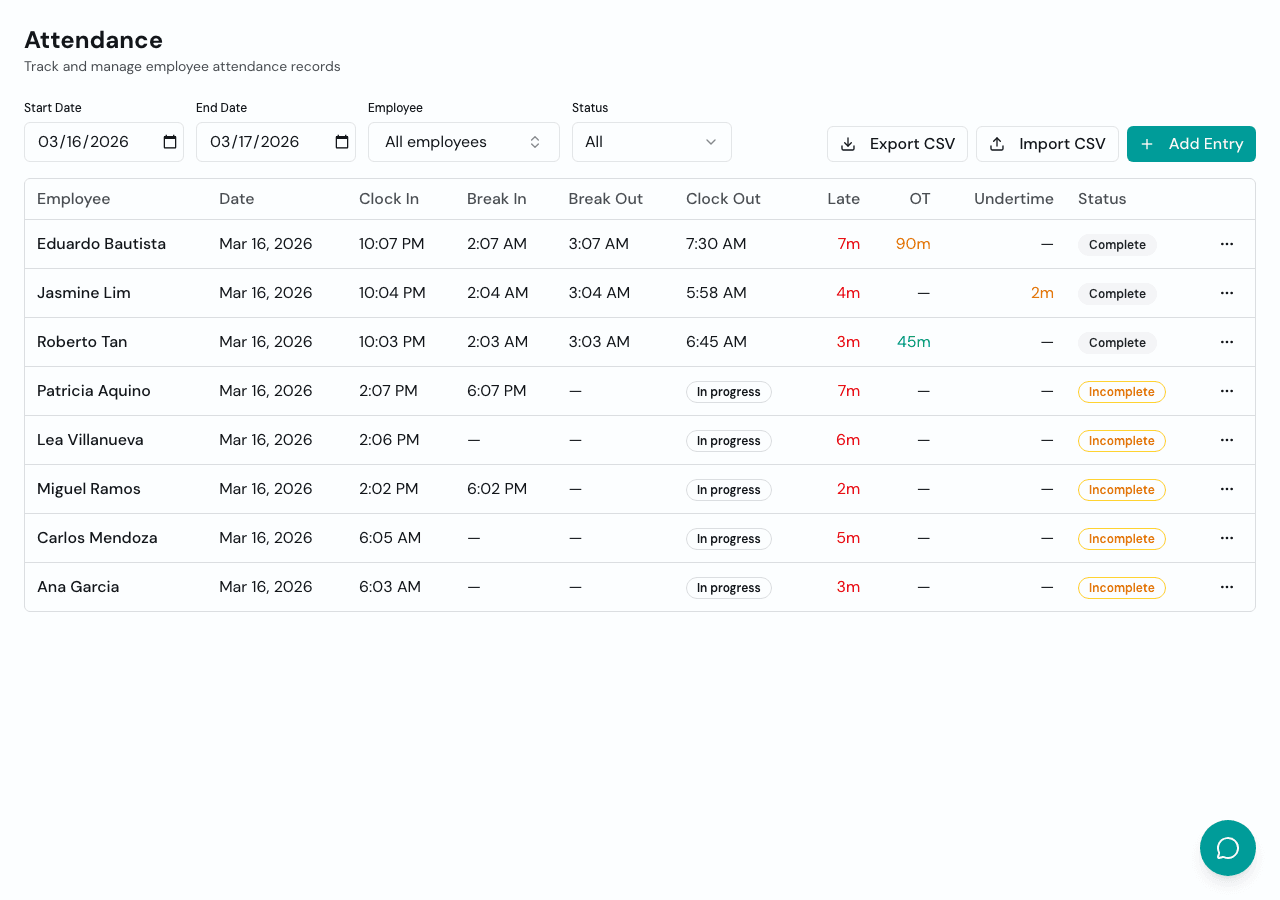
Timekeep's kiosk mode turns any device with a camera into a clock-in station. Staff tap their name, the camera captures a photo, and the record is saved with the timestamp and photo attached. The data flows directly into attendance tracking and then into payroll, so overtime, late deductions, undertime, and rest day premiums are all computed from actual clock-in times. No biometric hardware to buy, no data to extract and import.
Ditch the scanner, keep the accountability
That fingerprint machine served its purpose. But if you're tired of the maintenance, the data transfers, and the backup paper log taped to the wall next to it, there's a simpler setup that gives you the same accountability with less hassle.
Try it free for 30 days at timekeep.ph. No credit card required.