
You shouldn't be computing payroll at 11 PM.
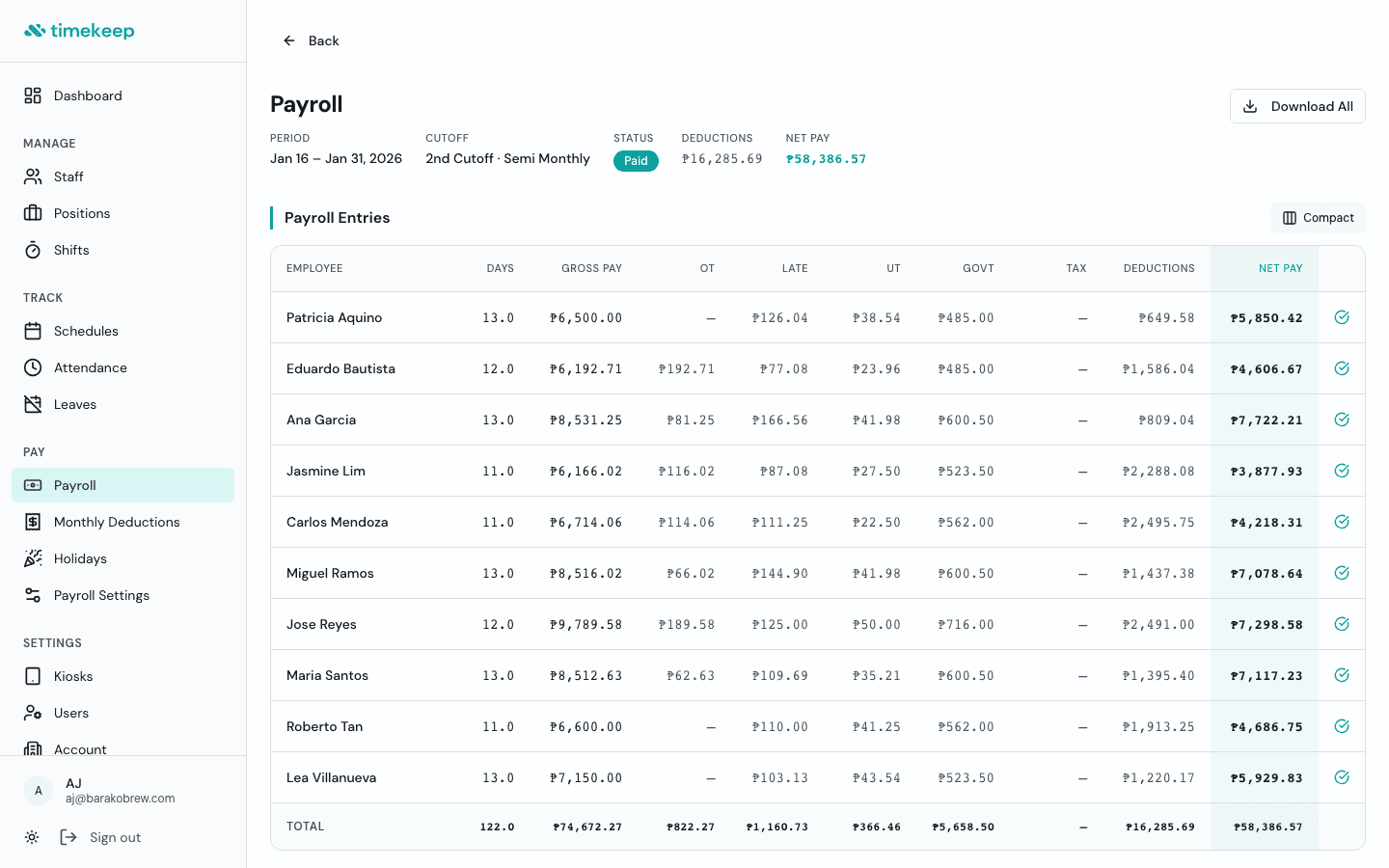
One-click payroll that pulls attendance, computes government deductions, and generates payslips. Built for Philippine businesses, not enterprise HR departments.
What you get
Everything included, nothing extra to configure.
One-click payroll
Timekeep pulls attendance, computes gross pay, applies government deductions, and generates payslips. Review and finalize in one screen.
Payslip generation
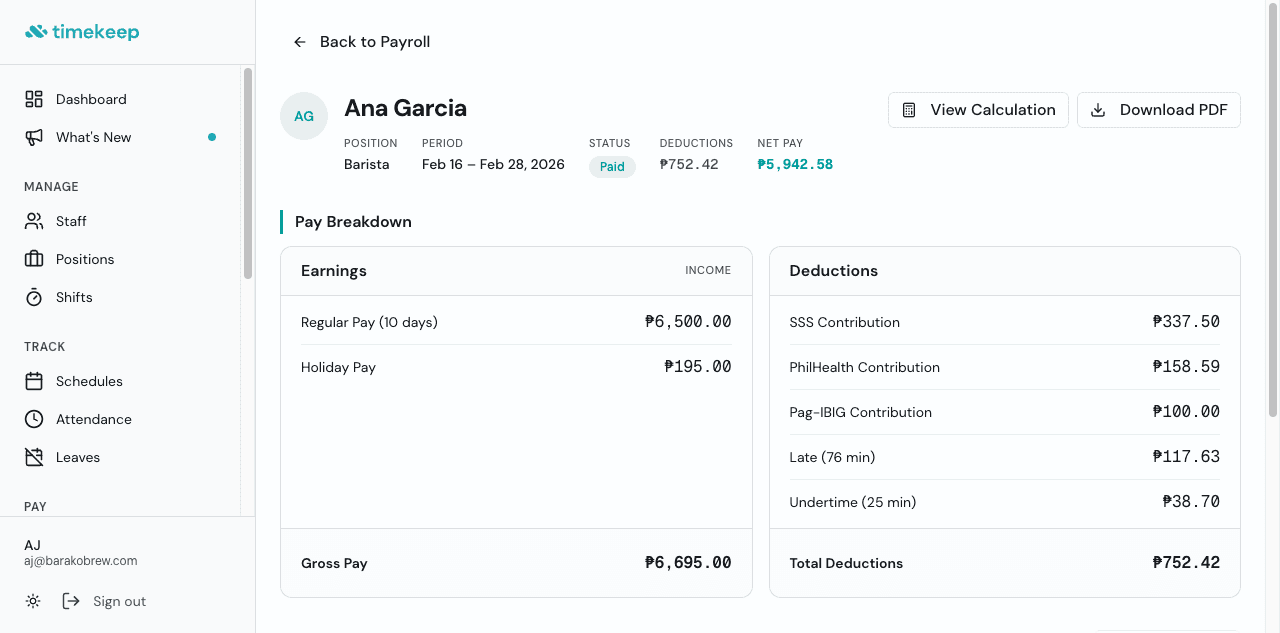
Every employee gets a detailed payslip with full earnings and deductions breakdown. No more screenshotting for the group chat.
Government deductions
SSS, PhilHealth, Pag-IBIG, and BIR withholding tax computed automatically using current contribution tables.
Holiday pay multipliers
Regular holidays at 200%, special non-working days at 130%, rest day premiums, and all combinations. Computed from the Philippine holiday calendar.
13th month pay
Tracks total basic salary earned during the year and computes 13th month pay automatically.
Overtime and night differential
Overtime hours, rest day overtime, and night differential (10 PM to 6 AM) all computed from attendance records.
Monthly deductions
Track recurring deductions like cash advances, loans, or salary adjustments. Applied automatically each pay period.
Loan tracking
Manage employee loans with amortization schedules. Deductions applied to payroll until the balance is paid off.
CSV exports
Export payroll data for your accountant or bookkeeper. Clean, ready-to-use spreadsheets every cutoff.
Frequently asked questions
How does one-click payroll work?
When you click Run Payroll, Timekeep pulls attendance records for the pay period, computes gross pay based on daily rates, applies overtime and holiday multipliers, calculates government deductions (SSS, PhilHealth, Pag-IBIG, BIR), subtracts any monthly deductions or loan payments, and generates individual payslips. You review everything before finalizing.
Are the government contribution tables up to date?
Yes. Timekeep uses the current SSS, PhilHealth, Pag-IBIG, and BIR withholding tax tables. When the government updates contribution brackets or rates, Timekeep updates the tables so you don't have to look them up yourself.
Can I customize the payroll cutoff schedule?
Yes. You can set your pay period to semi-monthly, monthly, or weekly in Payroll Settings. Timekeep computes pay based on the cutoff dates you choose.
What if I need to adjust an employee's pay?
You can add adjustments (bonuses, allowances, deductions) before finalizing a payroll period. Everything is visible in the payslip breakdown so both you and your employee can see exactly what was added or deducted.
Can my employees see their payslips?
Yes. Every employee can view their payslips through the Employee Portal on their phone. Full breakdown of earnings and deductions, no screenshots needed.
Ready to get your time back?
Set up in 5 minutes. No credit card required. Cancel anytime.