
Scheduling that actually makes sense.
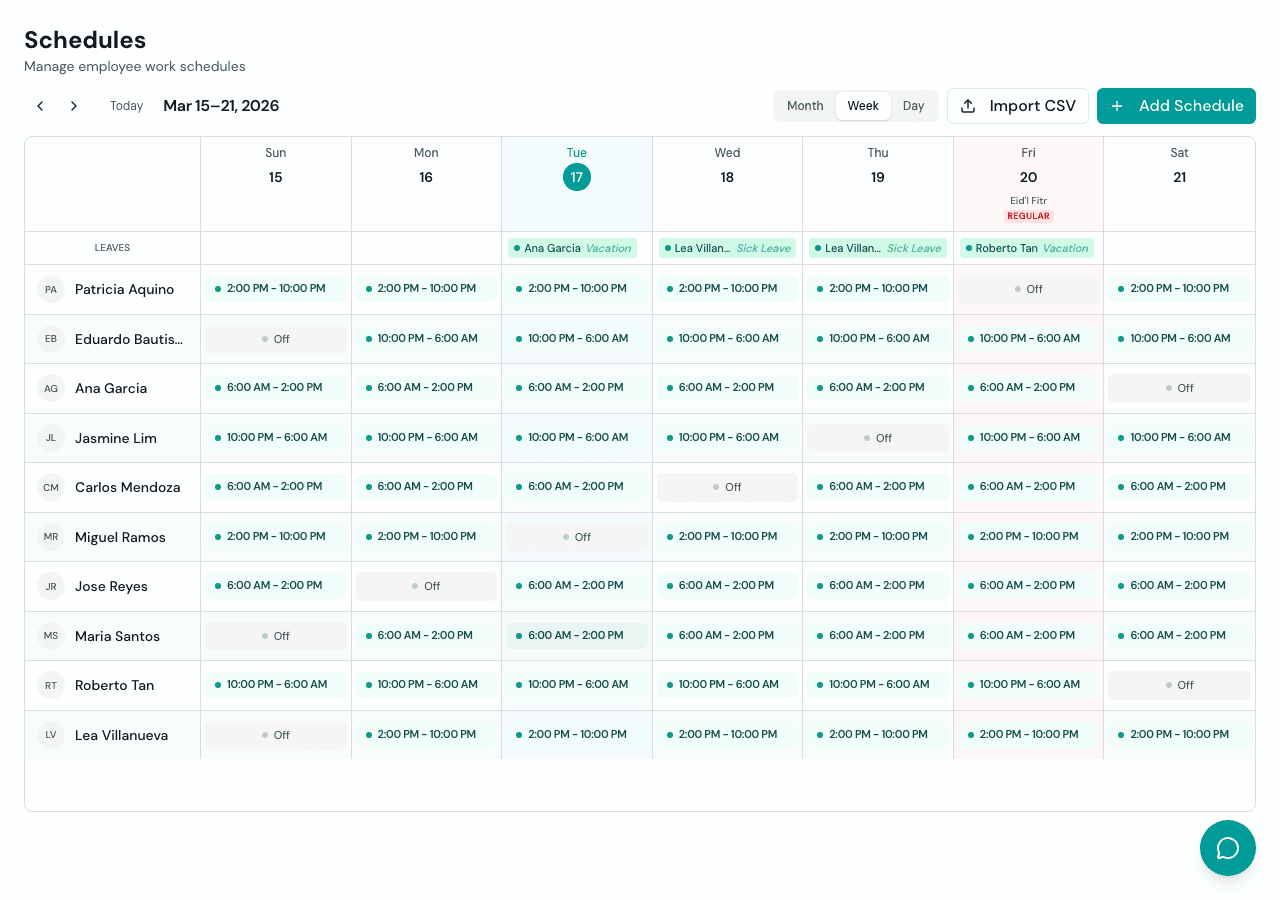
See the whole week at a glance. Assign shifts, mark rest days, and track approved leaves in one view. Connected to attendance and payroll so you never rebuild the same information twice.
What you get
Everything included, nothing extra to configure.
Weekly schedule view
See your whole team's schedule at a glance. Employees on the left, days across the top. Shifts, rest days, and leaves all in one view.
Shift templates
Create shift templates with start time, end time, and break rules. Assign them to employees in a few clicks instead of typing the same times over and over.
Rest day management
Mark rest days per employee. Rest day work is automatically flagged and computed at the correct premium rate in payroll.
Leave integration
Approved leaves show up directly on the schedule. No duplicate tracking between your leave system and your schedule.
Connected to payroll
Schedules define what counts as regular hours, overtime, and rest day work. Payroll pulls this data automatically when you run it.
Connected to attendance
The attendance board compares clock-in times against the schedule to detect late arrivals, early departures, and missed shifts.
Frequently asked questions
Can I assign different shifts to different employees?
Yes. Each employee can have a different shift assigned for each day of the week. You can use shift templates to speed up assignment or set a custom schedule per person.
How do schedules affect payroll?
Schedules define what counts as regular hours versus overtime. When you run payroll, Timekeep uses the schedule to compute the correct pay rate for each hour worked, including rest day and holiday premiums.
Can employees see their schedules?
Yes. Employees can view their assigned schedules through the Employee Portal on their phone. They see what shift they're on, what their rest days are, and any approved leaves.
What happens if I change a schedule mid-week?
Changes take effect from the date you set. Attendance and payroll for days before the change use the old schedule, and days after use the new one.
Ready to get your time back?
Set up in 5 minutes. No credit card required. Cancel anytime.