
See Your Week Before It Happens
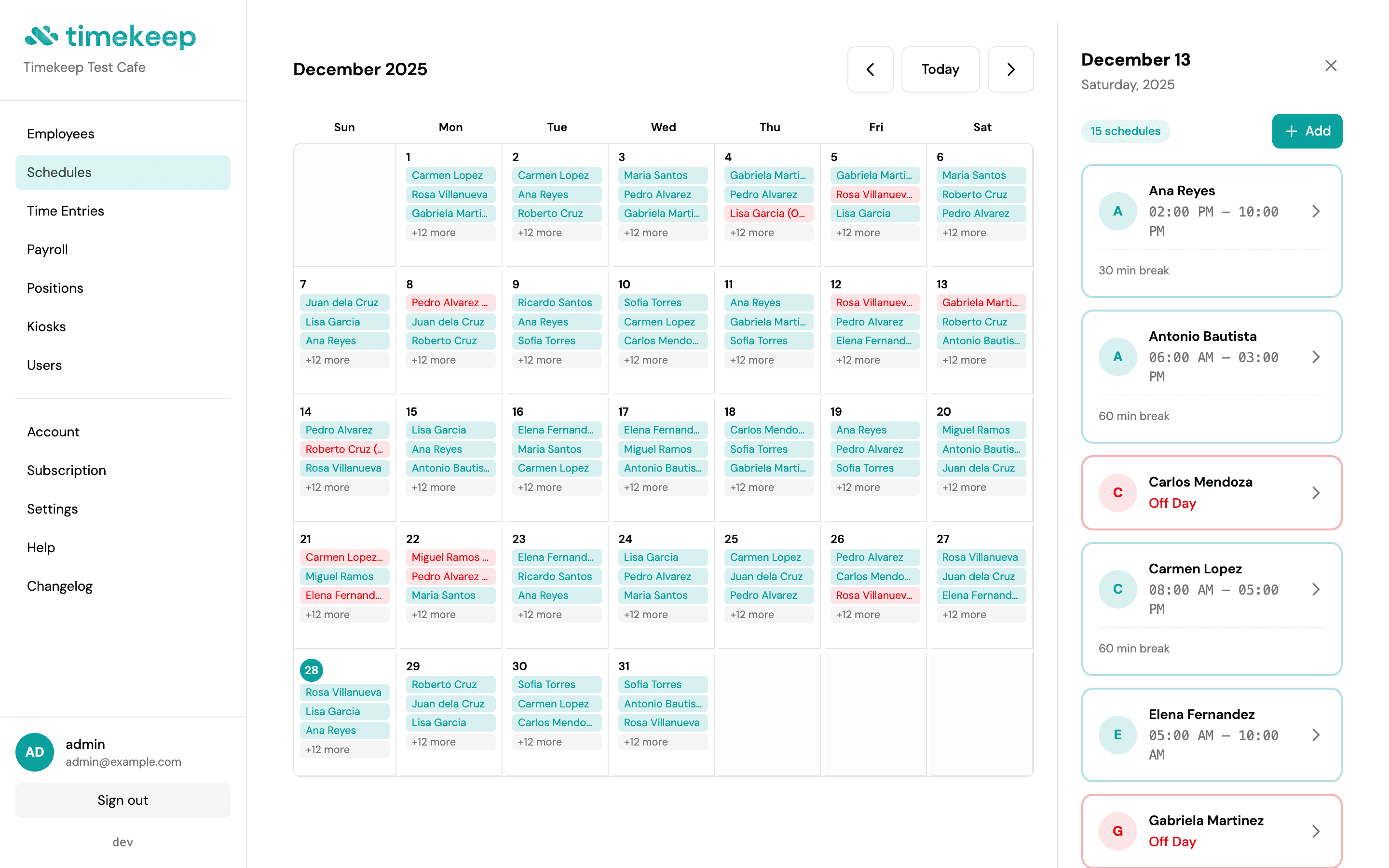
Visual month and week views make scheduling intuitive. Assign shifts, set break times, and know exactly who's working when. No more guessing, no more group chats asking "sino duty bukas?"
Why Timekeep Scheduling
Scheduling that stays out of your way.
Month View for the Big Picture
See your entire team's schedule at a glance. Click any day to view detailed shift assignments with start times, end times, and break durations. Perfect for planning coverage weeks ahead.
Week View for Daily Operations
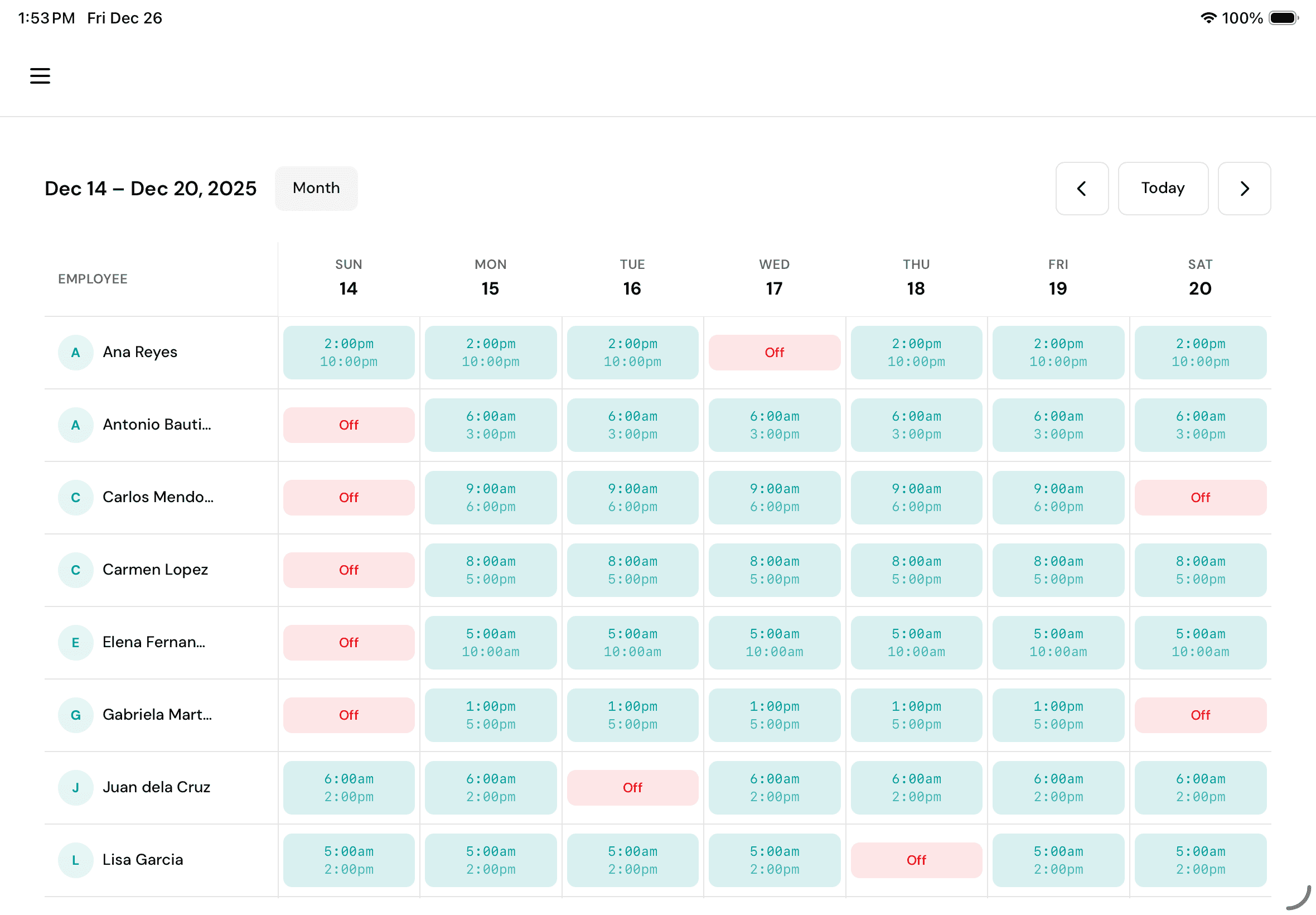
Your week laid out in a clean grid. Each employee's shifts displayed day by day, with "Off" days clearly marked. Ideal for supervisors managing floor coverage on tablets.
Scheduled vs. Actual, Compared
When the shift ends, see what actually happened. Compare scheduled hours against time entries to catch patterns before they become payroll surprises.
On iPad
Your schedule board, now on tablet.
Employees down the side, days across the top. Green means working, gray means off. Simple enough for any supervisor to use between serving customers.
What's included
Everything for shift scheduling.
Visual Month Calendar
Full month view with employee names on each day. See your entire workforce schedule without scrolling through spreadsheets.
Week Grid View
Clean table format showing employees and their daily shifts. Perfect for quick reference during operations.
Flexible Shift Times
Set custom start and end times for each shift. Handle morning crews, night shifts, and split schedules in one place.
Break Duration Tracking
Define break periods per schedule. Break time displays alongside shift hours so expectations are always clear.
Off Day Visibility
Rest days marked explicitly in the week view. No confusion about who's working and who's scheduled off.
Date Range Scheduling
Assign schedules to specific date ranges. Perfect for project-based work, seasonal staff, or rotating shift patterns.
Click-to-Detail Navigation
Click any calendar day to see the full list of scheduled employees with their shift details. From overview to specifics in one click.
Multi-Shift Support
Schedule 15+ employees per day across different shifts. Handle opening, midday, and closing crews all in one view.
Overnight Shifts
Schedules that cross midnight just work. 10 PM to 7 AM shifts track correctly with breaks, overtime, and NSD calculated automatically.
Ready to stop doing payroll by hand?
Join the Filipino business owners who upgraded from spreadsheets, without the enterprise price tag.
No credit card required